
Last updated: August 19, 2026. Every competitor price, plan name, trial term and setup fee below was checked against that vendor’s own page on the date shown beside it.
What is the best MLS plugin for WordPress?
The best MLS plugin depends on one question: do you want listings imported as native WordPress content, or embedded from an external service? For native import, where every listing becomes a real WordPress post your site can style, search and rank on Google, MLS Import is the strongest option (RESO Web API, 800+ MLS feeds across the US and Canada, $49/month or $504/year for one MLS, $99/month for up to 3 MLS boards or $199/month for up to 7, 30-day free trial). For embedded IDX with wide MLS coverage and managed setup, IDX Broker is the established choice. Showcase IDX leads on modern search UX. SimplyRETS fits developers building a custom front end. Estatik fits small sites on a budget. All nine are compared below.
In more than one MLS? Since version 7.2, MLS Import pulls listings from up to seven MLS boards into one site and one search. See how to connect two or three MLS boards to one WordPress site. It also runs on any WordPress theme, including a site you built yourself, through its Standalone mode, so you don’t need a real estate theme. Paying yearly for one MLS costs $504 instead of $588, about 14% less.
Full disclosure: MLS Import is our plugin. Every price and capability in the comparison table is stated so you can verify it against each vendor’s own pricing page.
Before you pick any plugin, make sure it works with your own MLS. Ask each vendor to name your board and the platform it runs on. For MLS Import, you can check if your MLS is supported before you buy.
Definition: An MLS plugin (also called an IDX plugin, from Internet Data Exchange) connects a WordPress website to a Multiple Listing Service so the site can legally display live property listings. Modern MLS plugins use the RESO Web API, the current data standard, rather than the older RETS protocol. There are two architectures: import plugins, which write each listing into your own WordPress database as a post you own and control, and embed plugins, which display listings served from the vendor’s system inside a frame or a subdomain. To use any of them you or your broker must be an MLS member with data-access credentials for that board.
Not sure which of the two you need? Here is the plain side-by-side of an IDX plugin that imports listings vs one that shows them from the vendor’s server.
If you’re a real estate Broker or Agent, you’re probably familiar with MLS and IDX (Internet Data Exchange). There are many articles and studies on the importance of having active MLS listings on your website and how IDX assists in making buying and selling properties easier for consumers.
IDX is crucial in making your site more trustworthy and connecting you with potential buyers or renters. But how do you get IDX listings on your website?
There’s a solution for real estate websites built on WordPress: IDX plugins. These plugins can significantly simplify integrating IDX listings onto your site. MLS Import is an IDX plugin for WordPress that imports listings into your own database.
In this article, we’ll explain what IDX plugins are and their key features. We’ll also list the available IDX plugins for WordPress, their prices, and their key features. This will assist you in choosing the right one for your WordPress-based real estate website.
Best MLS plugins for WordPress compared (2026)
| Plugin | Listings become native WP content? | Best for | Technology | Price from | Vendor source, and the date we checked it |
|---|---|---|---|---|---|
| MLS Import | Yes, native WordPress posts | Native import plus SEO on listing pages | RESO Web API | $49/mo or $504/yr for 1 MLS, $99/mo for up to 3, $199/mo for up to 7. No setup fee. 30-day free trial, card required. Your board may charge its own fee | mlsimport.com/mls-import-plugin-pricing/ (our own page). Prices read back from our billing records, verified 2026-08-19 |
| IDX Broker | No, embedded | Widest MLS coverage, managed setup | RESO / hosted | Core $60/mo, Engage $99/mo, Elite $145/mo on the single-agent plan, plus a one-time setup fee. The same page also prints Elite at $149/mo, so treat Elite as $145 to $149 | www.idxbroker.com/idx_broker, verified 2026-08-19 |
| Realtyna MLS On The Fly | No, API-rendered. Realtyna’s own page says “no need to import” and “say goodbye to the hassle of storing data into databases” | Realtyna’s hosted data route | RESO / MLS Router API | $850 setup + $99/mo, Tier 1 MLS. The same page marks the legacy MLS Add-on as retired | realtyna.com/mls-on-the-fly/, verified 2026-08-19 |
| Estatik | Yes | Small sites, manual plus feed mix | RESO | Simple free, PRO $89. The version comparison marks MLS import via RETS and MLS import via RESO Web API as not included in either plan, so MLS connectivity is quoted separately | estatik.net/choose-your-version/, verified 2026-08-19 |
| SimplyRETS | Via API, developer build | Developers building a custom front end | RESO / RETS API | $49/mo Basic, $99/mo Premium, $199/mo Enterprise, plus a $99 one-time fee for each connection | simplyrets.com, verified 2026-08-19 |
| Rover IDX | No, embedded | Teams priced by agent count | Hosted IDX | $65/mo single agent, up to $455/mo for 101-150 agents, 10% off when paid yearly | roveridx.com/resources/competitive-pricing/, verified 2026-08-19 |
| Showcase IDX | No, indexable embed. Showcase IDX’s own page says it “NEVER uses a subdomain or iframe” | Modern search UX | RESO | Essentials $94.95/mo, Premium $124.95/mo, $0 setup fee, 10-day free trial, plus MLS pass-through fees of $0 to $33/mo | showcaseidx.com/pricing/, verified 2026-08-19 |
| Flexmls MLS | No, embedded | Flexmls-board offices | Flexmls API | IDX WordPress Plugin $59/mo for agents. IDX SmartFrame $49/mo | fbsproducts.com/pricing/, verified 2026-08-19 |
| EstateVue IDX | No, embedded | Done-for-you setup (Canada) | Hosted IDX | Quote-based, no public pricing | estatevue.com/wordpress-mls-idx-plugin/. NOT VERIFIED on 2026-08-19: the page returns HTTP 403 to an automated request |
What the verified date covers: the published plan names, prices, setup fees and trial terms on the vendor page named in the same row, read on that date. Vendor URLs print as plain text because we do not pass link equity to competing products. The “Listings become native WP content?” column is our own classification, and where the vendor states its architecture in its own words that sentence is quoted in the cell. Prices change without notice, so check the vendor page before you buy.
Which WordPress MLS plugins put listings on your own domain, not in an iframe?
MLS Import saves each listing as a WordPress post on your own domain, styled by your theme. SimplyRETS can too, but only after a developer builds the front end. Estatik stores listings in WordPress, but neither of its priced versions includes MLS import. The others in the table show listings from the vendor’s servers: IDX Broker, Rover IDX, Flexmls and EstateVue embed them, Showcase IDX builds pages on your domain from its own servers, and Realtyna’s own page says “no need to import”.
Which IDX providers have month-to-month plans with no long-term contract?
MLS Import is month to month: $49 a month, no long-term contract, no setup fee, no notice period, and a Cancel button in your account. Here is how the others compare. Read their written terms before you sign.
| Provider | Long-term contract? | Monthly price from | Setup fee | How you cancel |
|---|---|---|---|---|
| MLS Import (ours) | No | $49/mo for 1 MLS, or $504/yr | None | Cancel button in your account, no notice period, plan runs to the paid end date |
| IDX Broker | No annual contract | Core $60/mo, Engage $99/mo | One-time setup fee | Check its terms |
| Showcase IDX | Check its terms | Essentials $94.95/mo, Premium $124.95/mo | None | Check its terms |
| Rover IDX | Check its terms | $65/mo for a single agent site | Ask the vendor | Check its terms |
Your MLS board may bill you a separate feed fee. Cancelling any IDX vendor does not cancel that board fee.
Also ask what happens to your listing pages when you leave. With MLS Import, the listings are in your own WordPress site as normal posts, so they stay after you cancel. They stop updating, so remove what your MLS says must come down. See what cancel anytime really means, and the steps for cancelling MLS Import, and setup fees, contracts and what an IDX setup actually costs.
Want to test before you pay? MLS Import has a 30-day free trial. Cancel before the trial end date and you pay nothing. If you are charged and did not mean to keep the plan, ask for a refund within 14 days of the charge. See the refund policy.
What are the IDX Plugins for WordPress?
Before explaining what IDX plugins are, we want to offer you a brief insight into what a plugin is and how it is used.
The term “Plugin” refers to software applications or add-ons that can be installed and integrated into an existing WordPress-based website to add specific functionality or features.
WordPress-based websites are created and managed using the WordPress content management system (CMS). Today, more than 43% of websites online use WordPress, making it a popular choice for real estate agents wanting their sites.
In our case, the plugins are software applications designed to integrate property listings from Multiple Listing Services (MLS) into websites made on WordPress. They are also called WordPress IDX plugins.
IDX plugins typically add the following functionalities to a website:
- Display current property listings sourced from the MLS database directly on WordPress websites.
- Enable visitors to search for available properties directly on the website.
- Capture visitor information through contact forms.
- Showcase detailed property information, high-quality images, and virtual tours.
- Ensure the listings are displayed and accessible across various devices, including desktops, tablets, and mobile phones.
What should I look for when choosing an IDX solution for my agent website?
Look for five things first: listings on your own domain, not in a frame or on a vendor subdomain; a feed your MLS approves that updates every few hours; lead forms that send the lead to you and your CRM; the full monthly cost; and support that answers fast. The nine questions below go deeper. Ask them before you sign, in this order.
| What to check | The question to ask | Why it decides the outcome |
|---|---|---|
| Feed type | Is this a RESO Web API feed, an iframe, or a hosted search on someone else’s subdomain? | RETS is deprecated and RESO stopped certifying it in 2018. An iframe or a vendor subdomain puts the listings outside your site. |
| Ownership of URLs and data | Do listing pages live on my domain, and does the data stay if I leave? | Listing pages on your own domain are pages you keep. Pages on a vendor domain leave with the vendor. |
| Search | Can I build the filters my market actually uses, and do search results have their own URLs? | Buyers filter by price, beds, area and amenities. If results are not addressable, they cannot be linked, shared or indexed. |
| Maps | Is there a map search, and do listings without coordinates still appear? | Map search is the feature buyers use first, and missing coordinates are the most common reason a listing seems to vanish. |
| Lead capture | Where do enquiries from a listing page go, and who owns the record? | A lead form that posts to the vendor is not your lead. This is the difference between a website and a portal. |
| CRM | Can leads reach the CRM I already use, without manual export? | Follow-up speed decides conversion. A lead sitting in an inbox is a lead you lose. |
| Speed | How many listings will the site hold, and what happens to load time at that number? | Thousands of properties and large photo sets are where slow IDX sites go wrong. Ask about photo hosting specifically. |
| Compliance | Does it handle attribution, permitted statuses and sold data the way my board requires? | Display rules are set by each MLS. Getting them wrong is a board complaint, not a design note. |
| Total cost | What is the sum of plugin or platform fee, feed or vendor fee, MLS or association fee, and setup? | The advertised price is almost never the whole number. Add all four before comparing anything. |
Five more checks before you sign an IDX contract
The table covers the product. These five cover the company behind it, and they are where agents get burned.
- How often do listings update? Ask for the number in writing. Many boards want your site refreshed at least every 12 hours, so check your own board’s rule. A home that sold last week and still shows active makes you look bad.
- Who does the MLS paperwork? Your MLS gives the feed to a member, usually your broker, not to the software. Ask who fills in the forms, who signs, and how long your board takes. Some boards answer in days, some take weeks. See who needs to hold the credentials and MLS approval processes that take time.
- How fast does support answer, and who answers? Get the hours and the reply time in writing. Ask what happens when listings stop showing up on a Saturday.
- What do you keep if you leave? Ask about contract length, auto-renew, setup fees, any early cancellation fee, and whether the price goes up after a promo period. Then ask what stays on your site the day you cancel: listing pages, leads, saved searches.
- Does it fit the site you have? A WordPress plugin, an embed code for Wix or Squarespace, and an all-in-one hosted platform are three different buys. If you rent the whole site, you lose it when you switch.
How to test an IDX solution before you pay
Test it like a buyer, then like a skeptic. It takes about 20 minutes.
- Ask for two or three live sites that use it with your MLS. For MLS Import, you can see live sites by MLS and theme.
- On one of them, open a listing on your phone and look at the address bar. If it jumps to another domain or a subdomain, the page is not on that agent’s site.
- Copy a listing’s street address and search for it on Google. See whose page shows up.
- Right-click the listing page, choose View Page Source, and search for the street address. If you only find an iframe tag, the listing lives with the vendor.
- Send support one hard question, like “Why would a sold listing still show on my site?” Time the reply.
Get every answer by email, not on a call. If the vendor won’t put the update speed, the total price and the cancel terms in writing, that tells you something. Our IDX vendor support checklist has the questions to send.
How MLS Import answers this checklist
MLS Import is our own plugin, so check every line yourself. It is a WordPress plugin that pulls your approved MLS feed into your site as real property pages on your own domain.
| Check | MLS Import’s answer | What you still do |
|---|---|---|
| Own domain | Each listing is a page on your own domain | Pick a supported theme (WpResidence, WpEstate, Houzez, Real Homes) or turn on Standalone mode |
| Update speed | Checks your MLS every hour. A daily cleanup you turn on removes homes that left the MLS | Keep the site’s scheduled jobs running (how to check) |
| MLS paperwork | Connects once your MLS approves your feed | Your broker applies and signs with the board |
| Lead capture | Lead forms email you or the listing agent | Send leads to a CRM with Zapier or the lead hook (how) |
| Cost | $49 a month for one MLS, $99 for up to 3, $199 for up to 7. No setup fee, 30-day free trial | Pay your board’s own feed fee and hosting |
| Leaving | No long-term contract. Listing pages stay in WordPress if you cancel, updates stop | Tell your MLS if you switch vendors |
| Support | Monday to Friday, 9am to 6pm Eastern, usually within one business day | Plan who checks the site on weekends |
Try it free for 30 days on your own MLS.
Key features to look for in an IDX plugin
Picking the right IDX plugin is important for increasing your real estate business’s profits. Look for a plugin that offers as many of these essential features as possible:
- Updated Listings: Ensure the plugin displays up-to-date property listings from the MLS database
- User-Friendly Search: Look for a solution with easy-to-use search options so visitors can filter properties by location, price, property type, etc.
- Device Compatibility: Properties must display correctly across various devices (phones, tablets, desktops)
- Detailed Property Information: The properties added via an IDX plugin must display complete property details like descriptions, images, virtual tours, location, features, amenities, etc.
- Map Integration: Listings must be displayed on a map system (like Google Maps, Open Street, etc) for easier visualization and localization.
- Lead Generation Tools: You must have lead capture forms to collect visitor information for serving your site visitors with all the information they need to close the deals.
- CRM Integration: Customer Relationship Management integration ensures that all client interactions and property inquiries are centralized, allowing for more organized communication with potential buyers or renters.
- Customization Options: The IDX plugin should allow you to control the look and feel of the properties displayed to match the website’s style and branding.
- SEO Optimization: The property listings you show on your site must be optimized for search engines so you get more visitors.
- Property Comparison Tools: Visitors should be able to compare multiple properties side by side for informed decision-making.
- Performance Optimization: Your website speed must be fast, ensuring a smooth user experience.
- Social Media Integration: Make sure you can easily share property listings on various social media platforms.
- Transparent Pricing: Look for clear pricing plans without hidden costs, understanding the payment structure (one-time, subscription-based) and additional charges for specific features.
- Customer Support and Updates: Ensure the plugin provider offers reliable customer support and regular updates for the plugin’s functionality and security.
In this section, we present you a variety of specialized IDX plugins for WordPress.
Each plugin has unique functionalities, catering to the specific needs of agents and brokers.
MLS Import
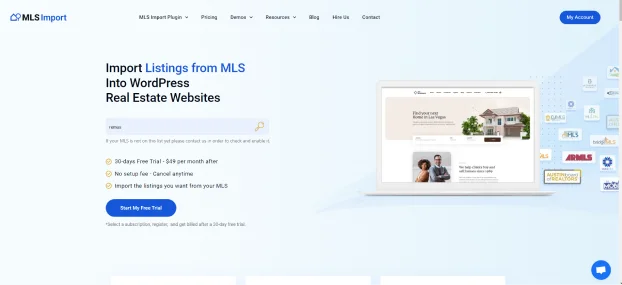
The MLS Import plugin connects your website to your MLS Association database so you can import property listings into your website.
It automatically updates imported listings, adds new ones immediately when added to the MLS, and, when you turn on the daily cleanup, takes out listings that left the MLS. You can also select specific types of listings to import.
Some of the key features of the MLS Import plugin:
- It uses the latest RESO API Technology that powers 800+ MLS from the US and Canada.
- It works with WpResidence, WpEstate, Houzez and Real Homes. Built your own site on another theme? Turn on Standalone mode. The plugin then brings its own property pages, search forms, listing cards and agent pages, and your theme keeps the header, footer, menus and blog.
- It Lets you choose which fields to import.
- Allows creating multiple import items and filters to bring in specific properties.
- Images are provided by MLS CDN (Content Delivery Network) to optimize speed.
Pricing:
- 30-day Free Trial available with all packages.
- $49/month or $504/year for one MLS after the free trial period ends. Plans for up to 3 MLS boards cost $99/month, and up to 7 cost $199/month.
IDX Broker
IDX Broker offers a comprehensive solution for real estate professionals. It comes with customizable widgets, responsive design, and lead capture features.
Key features of IDX Broker:
- It Displays MLS property listings on your website.
- Manages and collects lead information using forms.
- Allows widget editing without reloading, offering different widget options.
- Compatible with popular form plugins such as Ninja Forms, etc.
- Templates and widgets that adjust to various screen sizes for better user experience.
Pricing source: www.idxbroker.com/idx_broker, verified 2026-08-19. The plans on that page today are:
- Core: from $60/month for one agent, $80/month for a team of 2, $110/month for an office of 3 or more.
- Engage: from $99/month for one agent.
- Elite: the agent-plan table says $145/month and the plan card and FAQ on the same page say $149/month. The vendor page contradicts itself, so confirm this one before you buy.
- Every plan carries a one-time setup fee. The IXACT Contact CRM add-on is a further $50/month.
Realtyna Organic IDX Plugin + WPL Real Estate
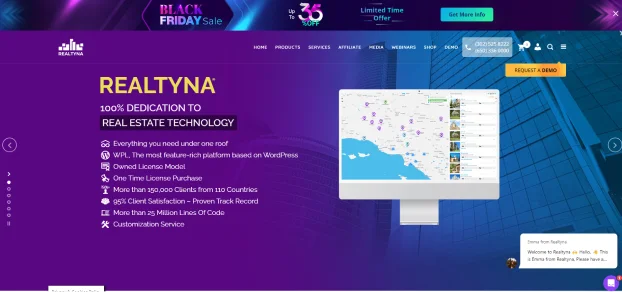
The Realtyna Organic IDX plugin, or WPL, built its reputation on SEO-friendly property listings, customizable search options, and lead generation tools. The product line has since changed: Realtyna retired its legacy MLS Add-on and RETS integrations at the end of 2024, and now sells MLS connectivity as MLS On The Fly, which serves listings through its MLS Router API instead of importing them into your WordPress database.
Key Points:
- Seamlessly integrates with various MLS providers across North America.
- Can manage the appearance of listings on the website.
- It is compatible with 11 WordPress themes catering to real estate and multi-purpose websites, including Divi.
Pricing source: realtyna.com/mls-on-the-fly/, verified 2026-08-19.
- MLS On The Fly is an $850 setup fee plus $99/month for a Tier 1 MLS. Realtyna’s own comparison table on that page marks the legacy MLS Add-on as retired.
- The free WPL plugin is listed and active on WordPress.org: version 5.4.1, last updated 13 August 2026, about 2,000 active installations. Source: the WordPress.org plugin API for slug real-estate-listing-realtyna-wpl, verified 2026-08-19.
Estatik PRO
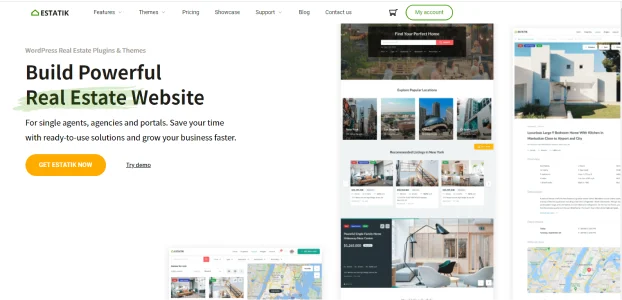
Estatik IDX offers customizable property templates, advanced search options, and front-end property submission for agents.
Key features:
- It brings in MLS listings through RETS or RESO Web API.
- Allows admins to create custom fields and add extensive details about listings using the Fields Builder.
- It works with five premium real estate themes.
Pricing source: estatik.net/choose-your-version/, verified 2026-08-19.
- Estatik Simple is free, with limited functionality.
- Estatik PRO is $89, with CSV import through WP All Import.
- Those are the only two priced versions on the page. The feature comparison marks MLS import via RETS and MLS import via RESO Web API as not included in either, so MLS connectivity is quoted separately.
SimplyRETS
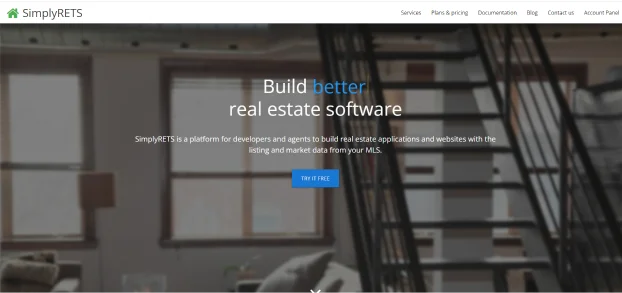
SimplyRETS is a plugin that imports and displays property listings on real estate websites.
It offered features such as:
- Simplified integration of MLS data into WordPress via the RETS protocol.
- Import property listings, including images and comprehensive property details.
- Basic customization options to control how the property listings are presented on the site.
- Works with most WordPress themes as it generates and embeds properties as HTML instead of iFrames
Pricing source: simplyrets.com, verified 2026-08-19.
- Basic: $49/month.
- Premium: $99/month.
- Enterprise: $199/month.
- Each RETS or RESO Web API connection carries a one-time $99 connection fee. Extra feeds are priced per feed through the multi-MLS add-on, from $25/month on Basic.
Rover IDX
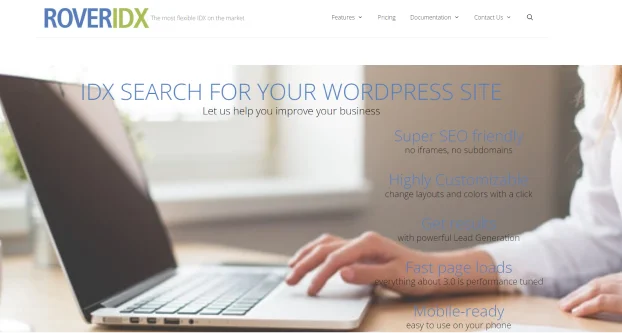
The Rover IDX plugin helps add searchable property listings to your website. You can personalize how listings appear, select property details to show, choose searchable cities, and customize the search panel.
Highlights:
- It displays property listings from various MLSs.
- It offers comprehensive user search functionalities.
- Rover IDX subscription is usable across up to 5 domains for a single agent.
Pricing source: roveridx.com/resources/competitive-pricing/, verified 2026-08-19. The /resources/pricing/ address this article used before now returns HTTP 404. There is a 10% discount for paying yearly, each additional MLS is $20/month, and each additional website is $25/month.
- $65/month – Single agent site.
- $85/month – Team of 2 agents.
- $130/month – 3-10 agents.
- $195/month – 10-25 agents.
- $260/month – 25-50 agents.
- $325/month – 50-75 agents.
- $390/month – 75-100 agents.
- $455/month – 100-150 agents.
Showcase IDX

Showcase IDX is a plugin that integrates IDX listings and searches into your WordPress website design.
Main Features:
- It shows property listings on your site.
- It keeps MLS property listings up to date.
- It lets users sign up and encourages them to create an account.
- It tracks what users search for and enables you to send them messages.
- You change how listings look using the tool’s settings.
Pricing source: showcaseidx.com/pricing/, verified 2026-08-19.
Plans start at $94.95/month for Essentials and $124.95/month for Premium, with a $0 setup fee on both and a 10-day free trial with all Premium features. Paying yearly costs $949.50 for Essentials and $1,249.50 for Premium. Some boards add an MLS pass-through data-access fee of $0 to $33/month on top.
Flexmls MLS

Flexmls MLS is an IDX WordPress plugin packed with SEO-friendly content, dynamic widgets, and a mobile-friendly design to attract direct client engagement.
Key Features:
- Live Data from Flexmls Platform
- Instant & Current IDX Data
- Integration with Flexmls Portals & Contact Manager
Pricing source: fbsproducts.com/pricing/, verified 2026-08-19.
- IDX WordPress Plugin: $59/month, agents only.
- IDX SmartFrame: $49/month, agents only.
- Broker and team packages start at under $100/month.
EstateVue IDX
EstateVue IDX is a fully customizable WordPress plugin tailored for real estate agents and brokers from Canada.
Key features:
- Show listings for specific cities.
- Switch between grid and map view.
- ‘Home evaluation’ feature for estimated property price.
- Fully responsive on mobile and desktop.
- Social media sharing options.
Pricing source: estatevue.com/wordpress-mls-idx-plugin/. NOT VERIFIED on 2026-08-19: the address returns HTTP 403 to an automated request, so the two points below are carried over from an earlier check and are the only claims in this comparison without a current verification date.
- Pricing is quote-based; EstateVue no longer publishes package prices.
- Live chat, SMS, and power forms are paid add-ons.
Compare IDX plugin options in detail
Use these focused guides when you have narrowed your shortlist:
- IDX plugin alternatives for WordPress
- MLSImport vs IDX Broker
- MLSImport vs Showcase IDX
- MLSImport vs Realtyna WPL
- Easy Property Listings vs MLSImport
- Free IDX plugin options for WordPress
- MLSImport features
How do IDX plugins work with WordPress themes?
IDX plugins work with WordPress themes by facilitating the display of MLS listings on a WordPress website.
These plugins manage the information related to the properties shared on the site, ensuring compliance with IDX regulations and often offering customization options to align with the website’s design and functionality.
IDX plugins usually sign Vendor agreements with each MLS, which serve as contracts between the IDX plugin provider and the MLS organizations. It’s important to note that these agreements also come with specific terms and conditions outlined by the MLS and IDX policy, which the IDX (Vendor) must follow.
Because of these regulations, regular IDX plugins allow you to display or integrate MLS data on your site without actually importing the data into your database.
However, with a specialized solution like the MLS Import plugin, the properties are imported into your website’s database.
It means that the MLS Import plugin stores the property information within your site’s database, enabling greater control, customization, and manipulation of the data for various functionalities like search, filtering, and display.
Here’s how most IDX plugins and WordPress themes work together.
Installation and Activation: IDX plugins are installed and activated similarly to other WordPress plugins, providing tools and features for managing and displaying property listings.
Displaying Listings: These IDX plugins generate widgets, shortcodes, or templates that enable users to display property listings within their WordPress themes.
Search and Filtering: IDX plugins provide advanced search and filtering options, allowing visitors to search for properties based on specific criteria such as location, price, property type, amenities, and more.
Customization: Users can often customize how listings appear on their website to match the theme’s style and design. It might involve adjusting colors and layouts or integrating specific search filters to maintain a cohesive look.
Lead Generation: Some IDX plugins offer lead capture functionalities, enabling real estate agents or brokers to collect visitor information interested in a property. These features can include contact forms, inquiry options, or scheduling tools to facilitate communication between agents and potential clients.
Updates and Synchronization: IDX plugins regularly synchronize and update property listings from the MLS (Multiple Listing Service) database.
How does MLS Import stand out from other IDX plugins for WordPress?
When choosing an IDX plugin for WordPress, it’s essential to consider factors such as ease of use, customization options, support, and how well it integrates with your website’s design and functionalities.
It ensures the best possible experience for you as the website owner and visitors.
MLS Import checks all these boxes. It stands out among other IDX plugins for WordPress due to several key features:
Robust MLS Integration: MLS Import offers seamless integration with any RESO-ready MLS. You can connect to your MLS and import the real estate listings you wish directly into your WordPress site.
Auto-sync hourly: MLS Import updates your published properties regularly, syncing them with the newest changes in MLS listings every hour. This way, your website stays up-to-date with accurate information at all times.
Auto-Delete obsolete listings: Turn on the daily cleanup and listings that left the MLS, such as closed or sold homes, are removed from your website and database.
Select and Display Property Info Your Way: From hundreds of MLS property fields available, you decide which to import, display publicly, or keep private, and customize their text names.
Organic Integration with top Real Estate WordPress themes: MLS Import works with the best Real Estate WordPress themes that over 60,000 successful realtors worldwide already use.
You can freely utilize your favorite theme’s real estate functionality and design as MLS Import handles publishing and syncing MLS listings for you.
Ease of Use: The plugin provides a user-friendly interface, making it easy for WordPress users to import and display property listings on their websites without needing advanced technical skills. The setup process is typically straightforward.
Efficient Filtering: With the ability to create multiple import items and filters, MLS Import ensures that only specific properties meeting your selected criteria are imported and synced.
SEO-Friendly: MLS Import brings all property data to your website, creating SEO-friendly pages for your chosen listings.
Cutting-Edge Technology: MLS Import uses RESO API Technology, a modern system for sharing real estate data. It’s based on widely used, open technology standards, making it simple for organizations to exchange data swiftly and effectively.
Content Delivery Network (CDN) for images: MLS Import lets you use the MLS CDN for image display, ensuring faster loading times.
Regular Updates and Support: MLS Import provides regular updates to ensure compatibility with the latest WordPress versions.
Straightforward Pricing: Enjoy a 30-day free trial with access to all features. Cancel anytime without hassle.
With MLS Import, you can seamlessly bring MLS property data to your website using RESO API.
The MLS Import plugin facilitates your website to communicate with the RESO API, which holds all the MLS properties, using your API connection details. If these terms are still confusing, you may want to read this article: How Is IDX Different From RESO Web API?
As the website owner and an MLS member with API access, you can ensure MLS compliance rules for your property listings.
The real estate themes compatible with MLS Import help manage logos, disclaimers, and MLS data to meet standards.
These themes enable you to create personalized, SEO-friendly Real Estate websites with desired functionalities at an affordable cost, eliminating the need for extensive technical knowledge or costly development.
Simultaneously, MLS Import ensures your website remains updated by syncing data with the MLS server, ensuring compliance with IDX regulations.
We have written a complete article that may help you create your website: How we created a WordPress MLS Website with 8,000 Listings.
What is the best IDX plugin for a small independent brokerage?
A small brokerage needs three things from an IDX plugin: your office’s listings on your own site, each lead sent to the right agent, and a price that fits a small budget. If your site runs on WordPress, MLS Import does that from $49 a month for one MLS, with a 30-day free trial. It is our plugin, so check it yourself: test your MLS feed, phone search and inquiry forms during the trial before you choose.
What MLS Import does for a small brokerage
- Your office’s listings: put your office ID in the import task’s office filter, and only your office’s listings come in.
- A full home search too: run a second import task for the whole market that excludes your office ID, so no home comes in twice.
- Agent pages: each agent gets a profile page that shows their listings.
- Leads to the right agent: in Standalone mode, contact forms and tour requests email the agent linked to the listing first, then your office email, then the site admin. To get them into your CRM, see sending leads to a CRM.
- Listings that stay current: your site checks the MLS every hour, and a daily cleanup you turn on takes off homes that left the MLS.
What your office still handles
- The MLS gives the feed to a member, so your broker applies for it and signs.
- Your MLS may charge its own feed fee on top of the plan.
- Your hosting holds the listings. Photos load from the MLS image servers, so your disk barely grows.
The full setup for offices is on MLS Import for brokerages.
Our verdict: which MLS plugin should you choose?
If your priority is SEO, choose an import plugin, not an embed plugin. Listings that live in your own WordPress database are pages of your site, and the internal links, taxonomy and aggregation pages you build on top of them are yours to keep. Among import plugins, MLS Import is the option built specifically for this: RESO Web API, hourly auto-sync, an optional daily cleanup of listings that left the MLS, field-level control over what imports and what displays publicly, at $49/month or $504/year for one MLS, with plans for up to 7 boards on one site.
If you need the widest MLS coverage with the least setup work, choose IDX Broker. It is the most established managed option and it handles boards that newer vendors have not onboarded.
If listing search experience is the deciding factor, choose Showcase IDX. Its search and map UX is the strongest in the embed category.
If you are a developer building a custom front end, choose SimplyRETS. It gives you the data and gets out of the way, at the cost of build time.
The one choice we would argue against is picking an embed plugin and expecting listing pages to build organic traffic. That is the section below.
What is the best IDX website builder with forced registration and lead capture?
No single product supplies all three. The listing data, the registration wall and the CRM delivery are three separate layers, and you choose each one. MLS Import supplies the native listing data: it writes each MLS listing into your own WordPress database as a post you control. It does not put a listing behind a registration wall, it stores no lead, and it connects to no CRM.
Forced registration comes from your WordPress theme or your membership layer. Real estate themes such as WpResidence let you set how many properties a visitor may open before a sign-up prompt appears, along with a gallery-image limit and a reset period, and a membership plugin can do the same job on any theme. That setting lives in the theme or the membership plugin, never in the import plugin. No published study sets the right number of free views, so treat it as a test you run on your own traffic rather than a figure to copy.
CRM routing comes from your theme, your form plugin, or an automation integration. The enquiry form sends the lead, and the theme’s own sync, a form plugin’s CRM add-on, or an automation service such as Zapier or Make delivers it onward. On WpResidence, Houzez, Real Homes and WpEstate the enquiry form belongs to the theme. In standalone mode MLS Import renders its own enquiry forms and emails the lead to the listing agent, and a developer can pass it on with the mlsimport_property_lead_submitted hook, but even there it stores nothing and connects to no CRM.
Which layer owns which capability, in both modes, is set out row by row here: IDX lead capture on WordPress: plugin, theme, or CRM?
Do imported MLS listings actually help SEO?
Not on their own, and anyone who tells you otherwise is selling something. An individual listing page carries the same agent-written remarks that every other IDX site on the board received. It is duplicate content across dozens of domains, and Google treats it accordingly. If your plan is “import 8,000 listings and wait for traffic”, that plan does not work regardless of which plugin you buy.
The SEO value of imported listings is not the listing pages. It is what you can build on top of them once the data lives in your own database:
- Neighborhood and city pages. A page for “homes for sale in [neighborhood]” that pulls live inventory, median price and days-on-market from your own listing data, with your own commentary about the area on top. The listing feed keeps it current. The commentary is unique to you. This is the page type that ranks.
- Aggregation and filter pages. Price bands, property types, features, school zones. Each one is a real URL on your domain with a unique inventory set, and each one can carry unique introductory copy.
- Internal linking equity. Listing pages that live on your domain pass link equity to your neighborhood pages and your contact pages. Listings served from a vendor’s subdomain or iframe do not.
- Aggregate market-data pages. Live inventory statistics such as median asking price and days on market, computed from the listings in your own database. One caveat: MLS Import’s cleanup process removes listings that go Closed, Expired or Withdrawn when configured to, and board rules limit how long off-market data may be retained, so build statistics on active inventory and check your board’s policy before keeping anything historic.
This is the actual difference between import and embed. An embed plugin can show listings perfectly well. It cannot give you a database to build aggregation pages from. With MLS Import, listings become native WordPress content, so your theme’s taxonomies, your search, and any page builder you already use can treat them like any other post type.
One compliance note that applies to every plugin here: MLS rules govern how long you may retain listing data and what you may display, and those rules vary by board. Check your board’s IDX policy before building anything that depends on retaining sold data.
Frequently Asked Questions (FAQs)
What is IDX (Internet Data Exchange) in real estate?
IDX, which stands for Internet Data Exchange, is a system/policy enabling real estate agents to showcase the most current and comprehensive property listing information on their websites.
What is an IDX plugin?
An IDX plugin is a specialized tool crafted for WordPress websites, explicitly showcasing property listings obtained from Multiple Listing Service (MLS) databases.
Is there a difference between IDX and MLS plugins?
There is no actual difference – a WordPress MLS Plugin is the same thing as a Worpdress IDX plugin. Both kinds will handle the display of MLS listings on your website.
FAQ
What does an IDX plugin do on a WordPress real estate website?
An IDX plugin connects your WordPress site to MLS listing data so you can display active properties directly on your website. In practice, it typically adds searchable listings, property detail pages (with photos and sometimes virtual tours), and lead capture tools such as contact forms so visitors can inquire about a property.
Most IDX plugins also focus on responsive display so listings and search work well on desktop, tablet, and mobile devices.
Which features should I prioritize when choosing an IDX plugin for WordPress?
Start with where the listings live: pick a plugin that puts each listing on your own domain as a real page, not in an iframe or on a vendor subdomain. Then check how often listings update, where leads go and whether they reach your CRM, the full monthly cost (plugin, MLS feed fee, hosting and setup), what you keep if you cancel, and how fast support answers. Search filters, map search and speed with thousands of listings come next. MLS Import, for example, puts listings on your own domain, updates them every hour and costs $49 a month after a 30-day free trial. Your broker still gets the MLS approval.
How do IDX plugins work with WordPress themes (including real estate themes like WPResidence)?
IDX plugins integrate into WordPress like other plugins and then provide widgets, shortcodes, or templates you place into your theme to show listings and search. Many also let you customize colors, layouts, and search filters so the IDX experience matches your theme design.
Because IDX display is governed by MLS and IDX policy, providers typically have vendor agreements with MLS organizations, and the plugin workflow is designed to stay within those rules while still letting your theme present listings in a cohesive way.
What makes MLS Import different from typical WordPress IDX plugins?
Many IDX plugins focus on displaying MLS data on your site without importing that data into your WordPress database. MLS Import is positioned as a specialized solution that imports listings into your site database using RESO API, which can give you more control over how data is searched, filtered, and displayed.
According to the article, MLS Import also emphasizes hourly auto-sync, an optional daily cleanup that removes listings that left the MLS, the ability to choose which MLS fields to import and which to show publicly, and image delivery via an MLS CDN to help with speed. It is also described as working well with top real estate WordPress themes so you can use the theme functionality while MLS Import handles publishing and syncing.
What are the pricing starting points for the IDX plugins covered in the article?
Every figure below was read from the vendor’s own page on 19 August 2026. MLS Import offers a 30-day free trial and then $49/month or $504/year for one MLS, $99/month for up to 3 MLS boards or $199/month for up to 7. IDX Broker publishes $60/month for Core, $99/month for Engage and $145/month for Elite on the single-agent plan, plus a one-time setup fee; the same page also prints Elite at $149/month, so confirm that one before you buy. Showcase IDX is $94.95/month for Essentials and $124.95/month for Premium, with a $0 setup fee, a 10-day free trial, and MLS pass-through data fees of $0 to $33/month on some boards. SimplyRETS is $49/month (Basic), $99/month (Premium) and $199/month (Enterprise), plus a $99 one-time fee for each connection.
Realtyna sells MLS On The Fly at an $850 setup fee plus $99/month for a Tier 1 MLS, and its own comparison table marks the legacy MLS Add-on as retired. Estatik publishes Simple as free and PRO at $89, and its version comparison marks MLS import via RETS and via RESO Web API as not included in either, so MLS connectivity is quoted separately. Rover IDX starts at $65/month for a single agent and rises to $455/month for 101-150 agents, with 10% off when paid yearly. The Flexmls IDX WordPress Plugin is $59/month for agents and IDX SmartFrame is $49/month. EstateVue pricing is quote-based and could not be verified on that date, because its page returns HTTP 403 to an automated request.
What is the best MLS plugin for WordPress?
For importing listings as native WordPress content, MLS Import ($49/month or $504/year for one MLS, up to 7 MLS boards on one site on a larger plan, RESO Web API, 800+ MLS). For embedded IDX with the widest board coverage, IDX Broker. For search experience, Showcase IDX. The right answer depends on whether you want to own the listing data in your own database or display it from a vendor’s system.
What is the difference between an MLS plugin and an IDX plugin?
In practice the terms are used interchangeably. The MLS (Multiple Listing Service) is the regional database where member agents list properties. IDX (Internet Data Exchange) is the policy and technology that lets member agents republish that data on their own websites. A plugin sold as an “MLS plugin” and one sold as an “IDX plugin” both do the same job: bring MLS data onto your site under IDX rules.
Can MLS listings become native WordPress posts?
Yes, with an import plugin. MLS Import writes each listing into your WordPress database as a post, so your theme, your search, your taxonomies and your page builder treat it like any other content. SimplyRETS can do the same if a developer builds the front end. IDX Broker, Showcase IDX and Realtyna MLS On The Fly show listings from the vendor’s servers instead, so the listing is not saved on your site. To save listings, you need your MLS to approve the feed and hosting that can carry the extra pages.
Do I need broker approval to display MLS listings on my website?
You need MLS membership and data-access credentials for the board whose listings you want to display, and most boards require broker participation and a signed IDX agreement. The plugin is only the transport. The permission comes from your board.
Can I choose which listings and fields get imported?
Yes, with a native import. Each import task filters on property type, status, city, county, ZIP, price range, agent ID, agency ID or office ID, so a site can carry one segment of a board rather than the whole feed, for example only listings above a price point. Field selection is separate: you decide which MLS fields get written into the WordPress post, so a listing page shows the data you want and nothing else. An embedded IDX service renders whatever the vendor sends.
Can I show MLS listings on a WordPress site I built myself?
Yes. You have three routes. A hosted IDX service such as IDX Broker or Showcase IDX shows listings from the vendor’s servers, in a frame, on a subdomain or on pages the vendor builds. An import plugin such as MLS Import saves every listing as a page on your own site. A custom build on your MLS’s data feed, for example through SimplyRETS, gives you full control, but you or a developer write and maintain the code. MLS Import works on the theme you already have: turn on Standalone mode and it adds property pages, search forms, listing cards and agent pages, which you place with blocks, shortcodes or Elementor widgets. You still need your MLS’s approval (your broker usually signs) and hosting that can hold your listings. It costs $49 a month for one MLS after a 30-day free trial, and it checks your MLS for changes every hour. Step by step: Standalone mode: run MLSImport on any theme.
