
The Market Report builds a monthly report for one city, county, neighborhood or zip code from the active listings in your MLS. Visitors enter their name and email to get it, MLSImport emails them a link, and every visitor who opens it becomes a lead for that market.
Try it on the demo: standalone.mlsimport.com/sarasota-market-report.
What the report shows
Homes for sale and homes for rent each get their own section. Each section shows the active listings, the listings added in the last 7 days, the average days on market, the average and median asking price, and the average asking price per square foot. The top of the report shows the date of its data.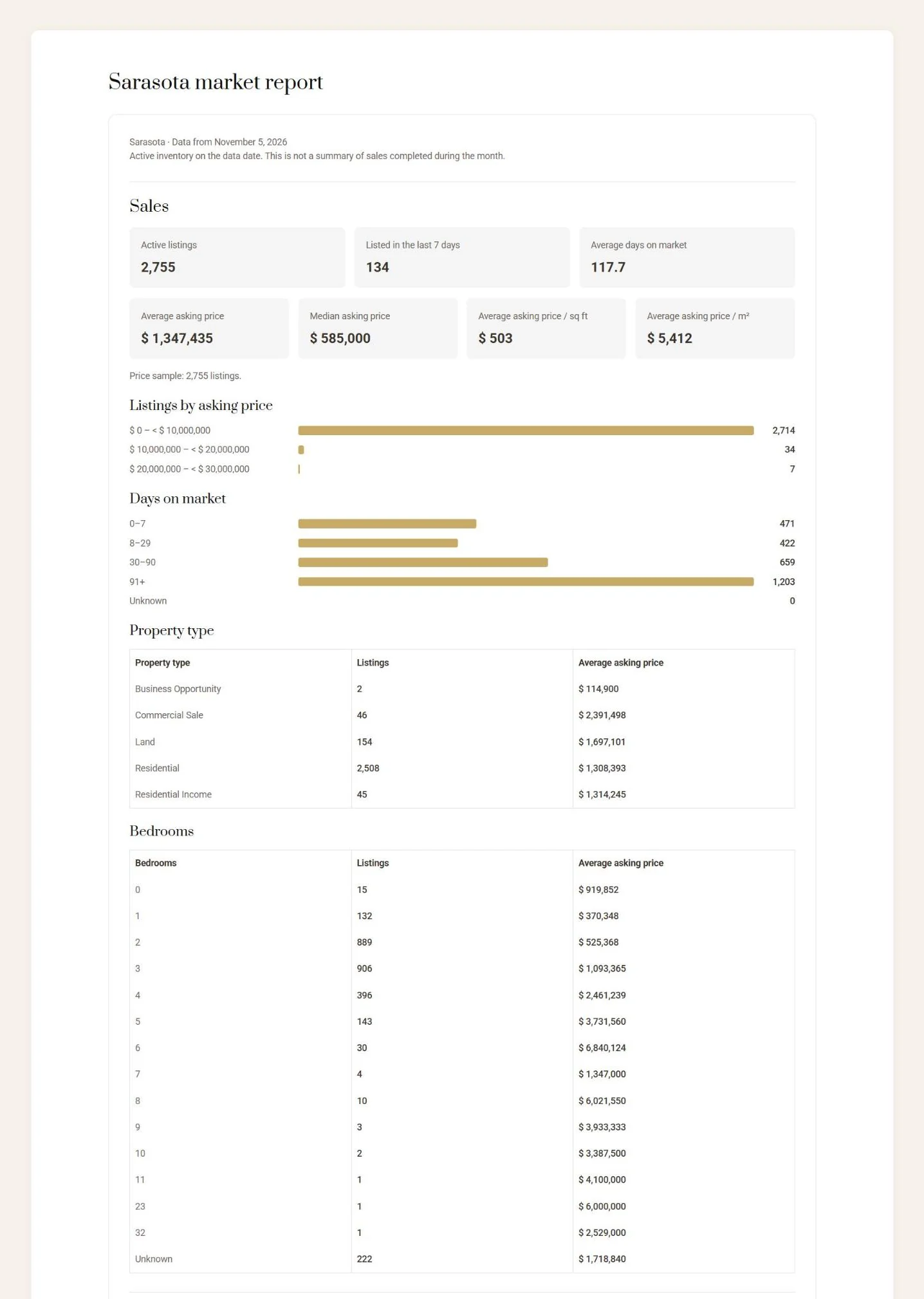
Charts show the listings by asking price and by days on market, and tables show the listings and the average asking price by property type and by bedrooms.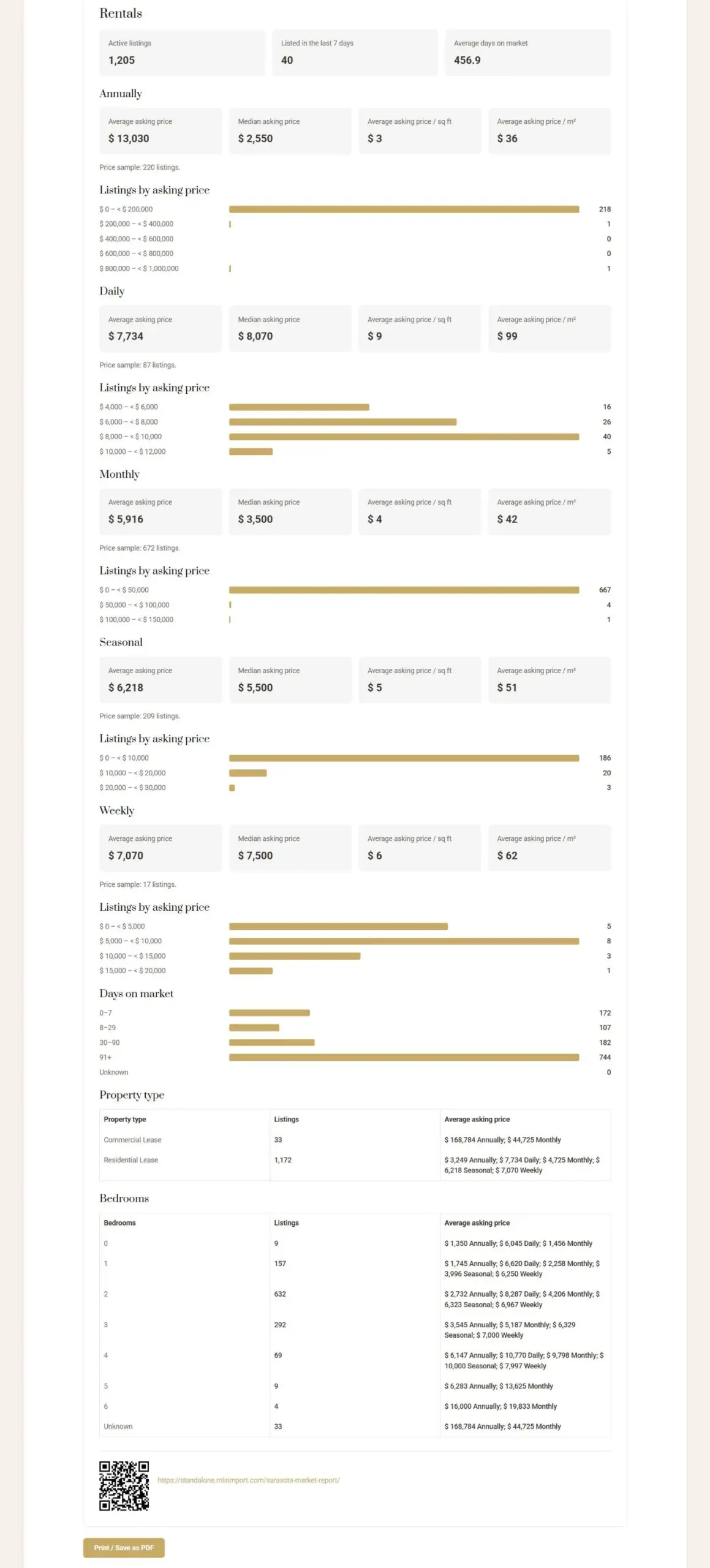
Create the page with Claude
When MLSImport is connected to Claude, as in How to Run MLSImport From Claude or ChatGPT, tell it the market: Create a Market Report page for Sarasota. Claude creates the page and sends you the link.
Add it in the block editor or Elementor
In the block editor, add Market Report from the MLSImport group. Pick your MLS, then the area: City, County, Neighborhood/Subdivision or Zip code. Property types, Heading and Introduction are optional.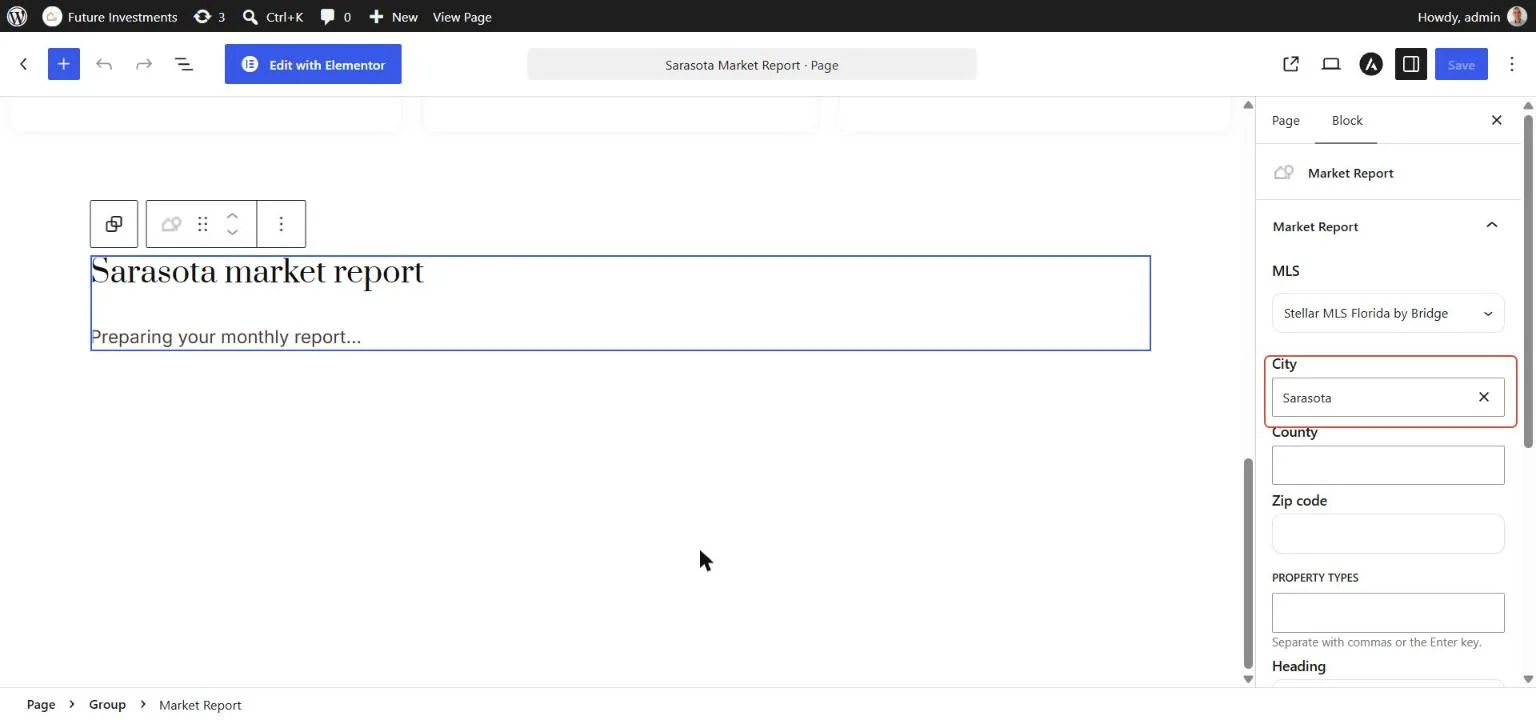
In Elementor, drag the Market Report widget onto the page, select your MLS and the city or zip code, and set the design on the Style tab.
What the visitor does
The visitor enters a name and email, agrees to your privacy policy and clicks Send me the report link.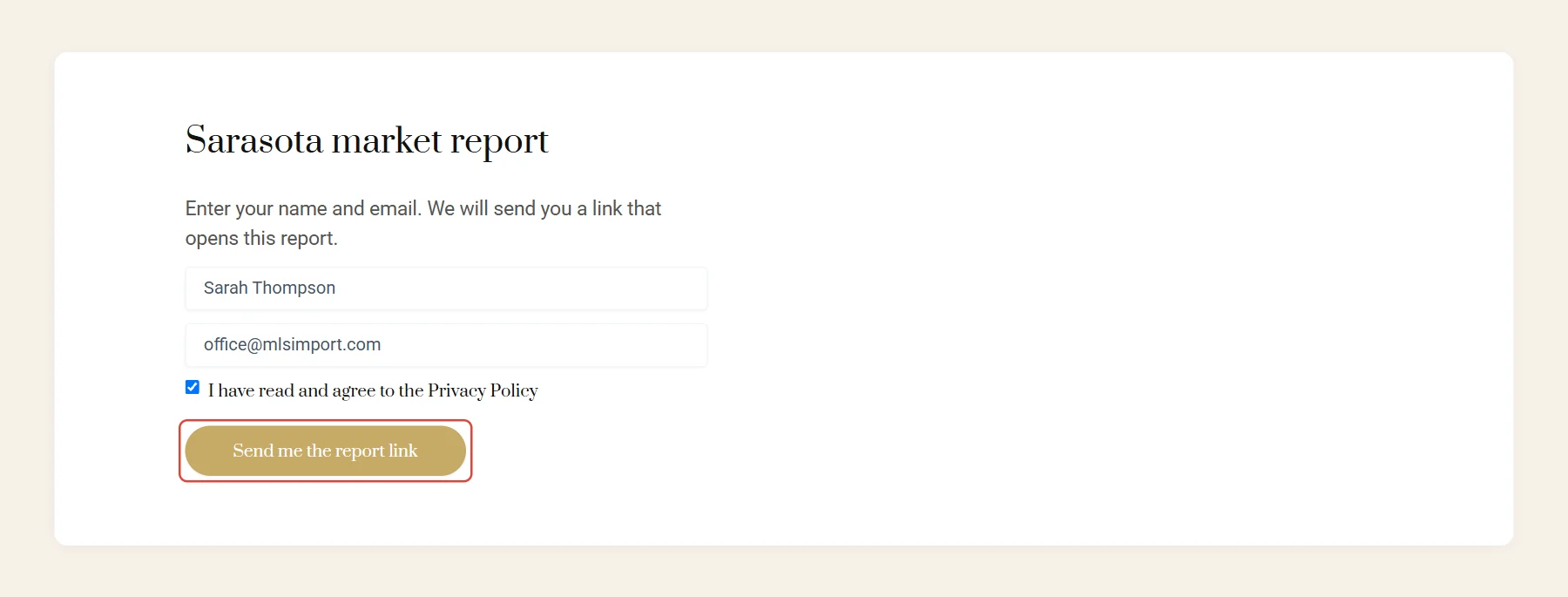
The page asks them to check their email. The email, Open your market report on your site name, holds the link that opens the report. After that, the report opens in that browser for 30 days, and so does every other market report on your site.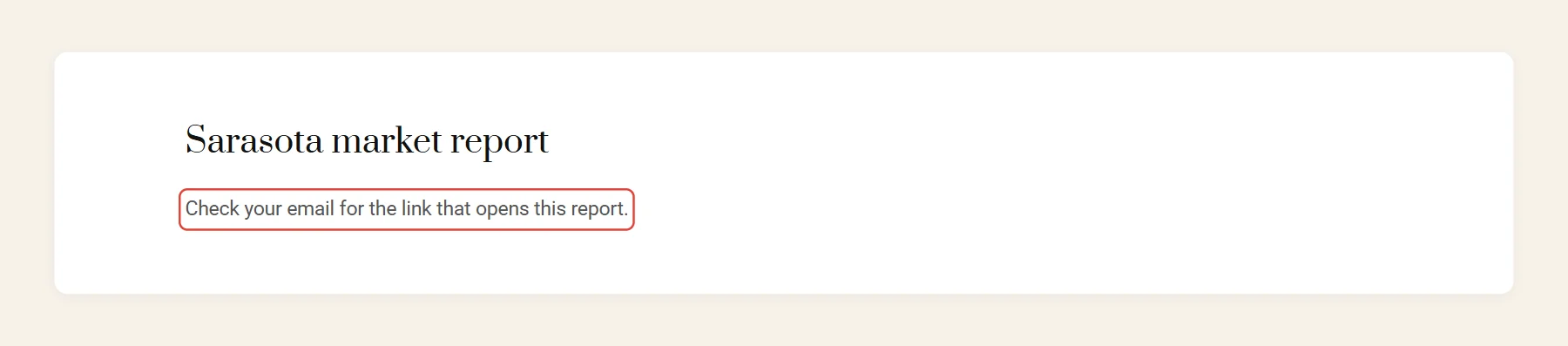
Visitors can print the report or save it as a PDF. The printed copy carries your logo, a QR code and the link to your website.
Your Report Leads list
Go to MLS Import Settings, Report Leads. Each row shows the visitor’s name, email, the report they asked for, the status (Pending confirmation until they open the link, then Confirmed) and the date.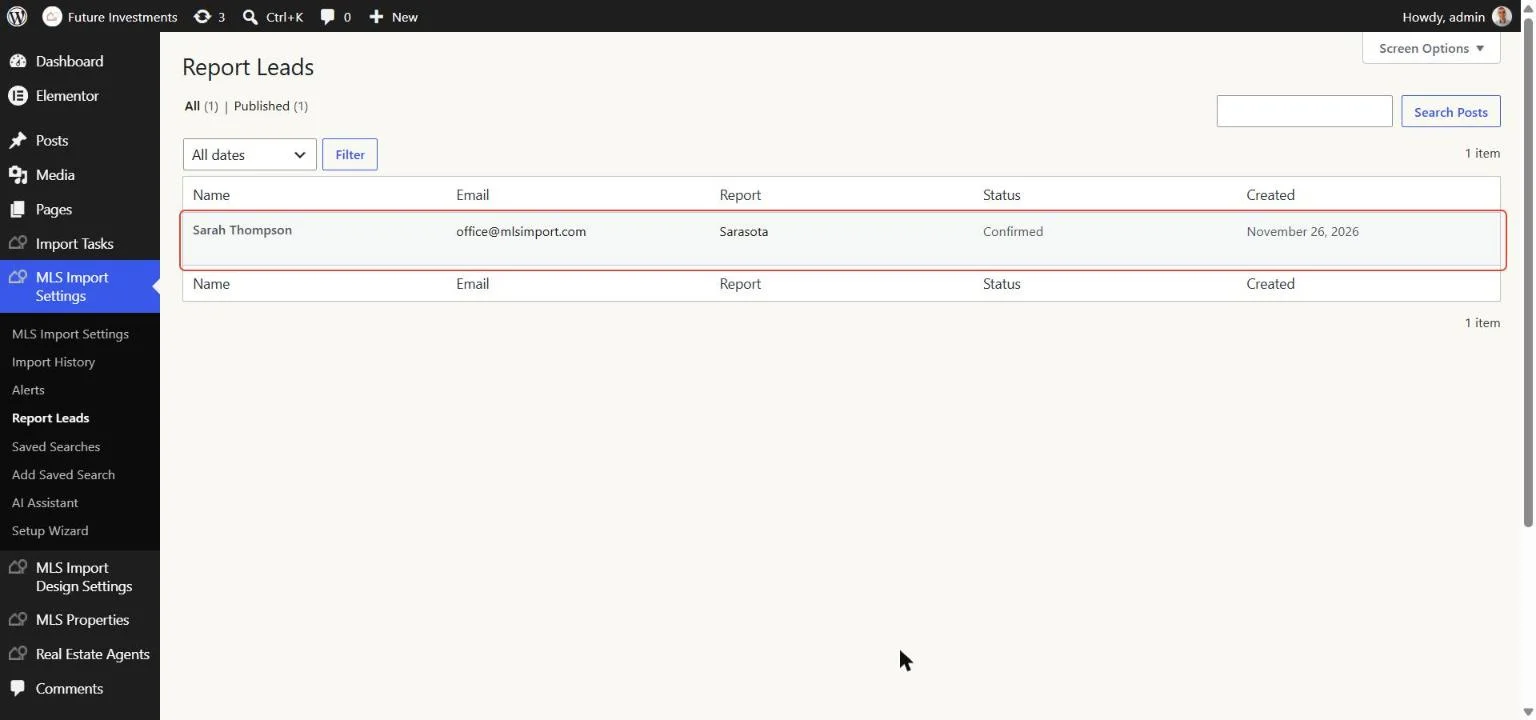
When a visitor opens the report, you get an email titled New market report lead with their name, email and report. It goes to the address set in Where property leads are sent, and your reply goes straight to the visitor.
Make one Market Report page for each city or zip code you serve, for example Sarasota, Tampa and 33602. Each page stays current on its own, and the Report column tells you which market every lead cares about.