
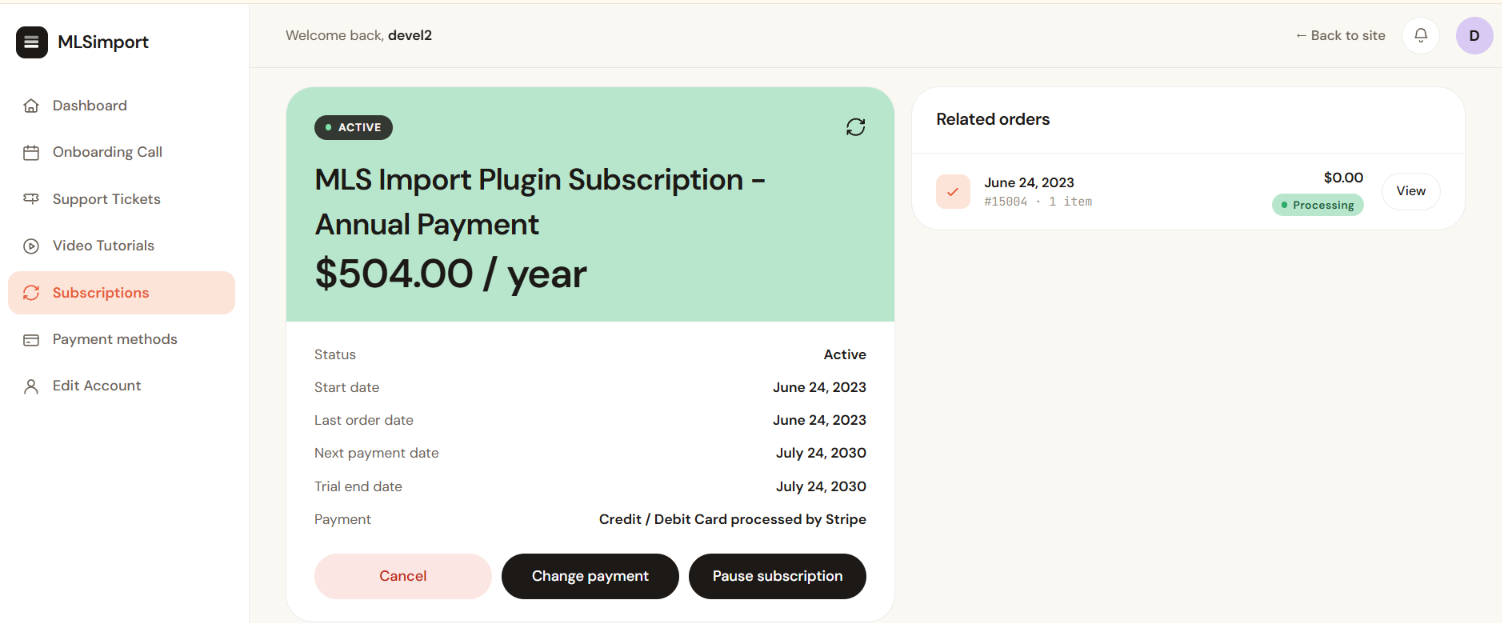
Change the card on the subscription itself, from Subscriptions in your account. That is the form that writes the new card onto the next renewal.
Adding a card under Payment methods saves it with Stripe, our card processor, for future checkouts. It is a useful thing to do, and on its own it is not what moves an existing subscription onto the new card.
Before you start
- You are signed in at mlsimport.com with the account that holds the subscription.
- You have the new card to hand. The details are entered on the order page, not stored beforehand.
Change the card
- Open
mlsimport.com/my-account/and click Subscriptions. - Open the active subscription. Its actions are listed under the detail table.
- Click Change payment. You are taken to an order page headed with a line naming the date the next payment is due.
- Enter the new card details.
- Click Save changes.
Expected result: a confirmation that the payment method was updated. The new card is used from the next renewal onwards.
See and remove saved cards
- Open
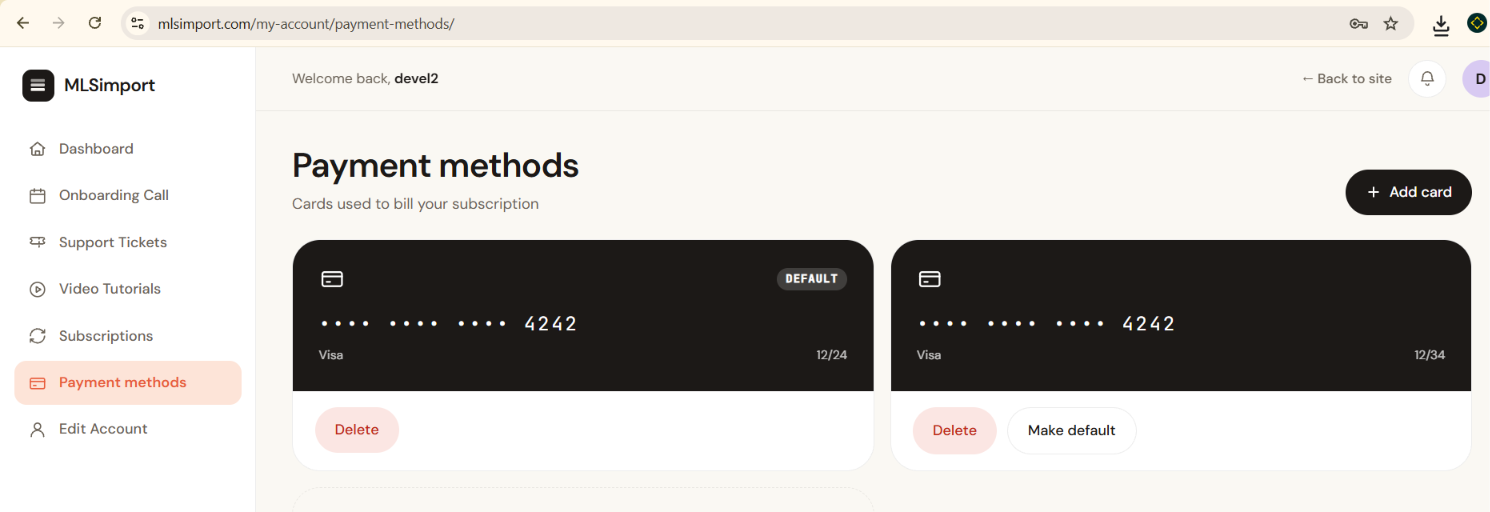
mlsimport.com/my-account/and click Payment methods. - Cards are saved only with Stripe, our card processor, and this page shows them. Each card shows its last 4 digits and its expiry date. The card used by default shows the Default label.
- Click Delete under a card you no longer want saved, or Make default under the card you want to use by default.
When the card has already failed
The failed payment shows as a failed order in your account, and a failed payment leads to the subscription being cancelled automatically.
Please contact your bank to confirm the card has funds and is not blocked by the bank.
If it does not work
- There is no Change payment button. The subscription is cancelled. Open it and click Resubscribe to reactivate it, as shown in Managing your MLSImport subscription.
- The card is rejected on the order page. That is your bank declining the authorisation, not the account refusing it. Cards issued outside the country of the billing address are the usual cause.
- The new card is saved but the old one was charged. The renewal ran before the change. The charge stands, and the new card is used from the following renewal.
Frequently asked questions
Are my card details stored on mlsimport.com?
No. Cards are saved only with Stripe, our card processor. The card details are entered on Stripe’s form and go directly to Stripe.
Can I pay by bank transfer or invoice instead of a card?
The subscription renews automatically, which needs a card on file. Open a ticket if your accounting rules make that impossible and we will tell you what is workable.
Does changing the card change my renewal date?
No. The date on the subscription stays as it is, and the new card is used when that date arrives.
My site stopped importing the day a payment failed. Is that a coincidence?
No. The MLS connection is answered against the subscription, so a subscription on hold stops imports, the hourly sync and the daily reconciliation pass at the same time.
Related
- Managing your MLSImport subscription
- Switching from monthly to yearly
- Cancelling MLSImport
- The connection to your MLS fails
Send us the order number from your account if a payment was taken that you did not expect.