
We proudly announce that MLSimport integrates seamlessly with Beaches MLS, providing efficient data synchronization. This integration optimizes property information accessibility, offering real estate professionals an enhanced platform experience.
Who is Beaches MLS (Broward, Palm Beaches, and St. Lucie Realtors)
Beaches MLS is the premier Realtor® Association in South Florida, empowering Realtors to market the region effectively, encompassing both South Florida and the Treasure Coast. Ranking as the third largest local Realtor Association nationwide, they cover an impressive 130-mile stretch of coastline in their service area.
The vision for Broward, Palm Beaches, and St. Lucie Realtors® is clear: They aim to be the top choice association in South Florida. Effective advocacy, valuable business offerings, and excellent customer service support this goal.
Their mission is to help their members succeed in their real estate businesses. They want to ensure their members can work professionally, ethically, and profitably.
To achieve its vision, the association advocates for policies supporting a thriving real estate industry. They believe in collaboration and using their influence to create a suitable environment for growth and fair practices.
They also understand that providing value to their members is crucial. They empower their members to excel in their work by offering resources and opportunities. They emphasize ethical conduct and provide tools for long-term success.
Their website is https://rworld.com/ and you can get contact information from this page https://rworld.com/in-touch.
How to Join Beaches MLS
The first thing you need is to possess a valid real estate license. Afterward, you can visit this page https://rworld.com/join and start the submission process.
The MLS staff created the video below so you can better understand what needs to be done.
Complete the membership application accurately and submit the required documents. Pay the relevant membership fees. Once approved and payments are processed, you can access the Beaches MLS system and utilize the provided training resources.
What area does Beaches MLS cover?
Beaches MLS covers a substantial area, including South Florida and the Treasure Coast. This extensive coverage encompasses a diverse range of locations and properties along the southeastern coast of Florida, extending from South Florida to the Treasure Coast region.
They cover counties like Broward County, Palm Beach County, and Miami-dade County. The most important cities are West Palm Beach, Boca Raton, Port Saint Lucie, Delray Beach, Boynton Beach, Fort Pierce, Jupiter, Lake Worth, Palm Beach Gardens, and Wellington.
If this MLS does not cover your county, you can do some research and find out about other Multiple Listing Services (MLS) in Florida.
For Southwest Florida, see the Bonita Springs-Estero REALTORS MLS guide.
How can you build a website with Beaches MLS?
- Domain and Hosting: Choose your site’s domain name and web hosting service.
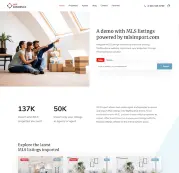
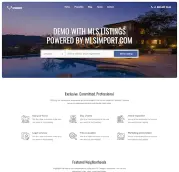
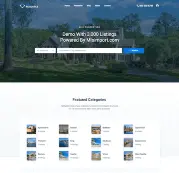
- Choose a Platform: Opt for a website-building platform, like WordPress, that supports MLS integration through various plugins and themes (like WpResidence and MLS import).
- MLS Access: Obtain access to Beaches MLS data. This requires RESO API keys and a data feed agreement with the MLS. BeachesMLS feed is available via Spark or Trestle Server API solutions, as confirmed on RESO official website.
- Install and Configure Plugin: If using WordPress, install the MLSImport plugin. Configure it by adding your API keys and MLSImport credentials (username and password) and selecting data fields to display.
- Design Your Site: Use a theme like WpResidence and customize the website’s design, layout, and content to suit your branding and real estate focus.
- Add Listings: Use the MLSimport plugin to import property listings onto your website. Ensure listings are displayed correctly and updated regularly.
Remember that data integration may require compliance with specific MLS rules and guidelines set by the Beaches MLS. It’s important to stay informed about updates or changes to the MLS data feed and ensure your website remains compliant.
If you want to create a website with BeachesMLS, you can read this article: How we created a WordPress MLS Website with 8,000 Listings . You can also watch the video below to see how easy is to work with the MLSImport.org plugin.
FAQ
How do I create a real estate website with Beaches MLS listings using WordPress?
Start by choosing a domain name and hosting, then build your site on a platform that supports MLS integration, such as WordPress.
Next, obtain access to Beaches MLS data (this typically involves getting RESO API keys and signing a data feed agreement with the MLS). Once you have access, install and configure the MLSImport plugin by entering your API keys and your MLSImport credentials (username and password), then choose which data fields you want to display. Finally, use a real estate theme such as WPResidence to design and customize your site, and import your listings through MLSImport so they display correctly and stay updated regularly.
What do I need to access Beaches MLS data for my website?
To use Beaches MLS data on your website, you need access to the MLS feed, which requires RESO API keys and a data feed agreement with the MLS.
The article notes that the BeachesMLS feed is available via Spark or Trestle Server API solutions (as confirmed on the RESO official website). Once you have the required access details, you can enter the API keys in your site setup (for example, in the MLSImport plugin configuration) to enable data synchronization.
How do MLSImport and Beaches MLS work together?
MLSImport integrates with Beaches MLS to synchronize listing data efficiently, which helps keep property information accessible and up to date on your website.
In practice, you connect MLSImport to the Beaches MLS feed using your API keys and MLSImport credentials, select the listing fields you want to show, and then import listings so your site can display them and refresh them regularly.
How do I join Beaches MLS, and where can I find their contact details?
To join Beaches MLS, you must have a valid real estate license and then start the submission process by visiting https://rworld.com/join.
You will need to complete the membership application accurately, submit the required documents, and pay the relevant membership fees. Once your application is approved and payments are processed, you can access the Beaches MLS system and use the training resources provided. For contact information, the article points to https://rworld.com/in-touch.
What areas does Beaches MLS cover?
Beaches MLS covers a large service area that includes South Florida and the Treasure Coast, spanning a substantial portion of Florida’s southeastern coastline.
The article specifically mentions counties such as Broward County, Palm Beach County, and Miami-Dade County, and highlights cities including West Palm Beach, Boca Raton, Port Saint Lucie, Delray Beach, Boynton Beach, Fort Pierce, Jupiter, Lake Worth, Palm Beach Gardens, and Wellington.