
MLSImport works with Divi. You build your MLS pages with shortcodes, pasted into a Divi Text or Code module.
MLSImport brings your MLS listings into WordPress and renders them itself, so your listings look right on Divi the same way they do on any other theme.
Start here
Add this shortcode to any Divi page:
[mlsimport_listings]That renders your listings with search and paging.
To show a fixed set, add filters:
[mlsimport_listings city="Miami" status="Active" limit="12"]Filters you can use: price_min, price_max, beds, baths, sqft_min, sqft_max, lot_min, lot_max, year_min, year_max, hoa_max, dom_max, garage_min, stories, subdivision, list_date_min, location, city, state, zip, area, county, high_school_district, label, status, property_type, listing_type, keywords, features, agent, orderby, order, limit, page.
How to add a shortcode in Divi
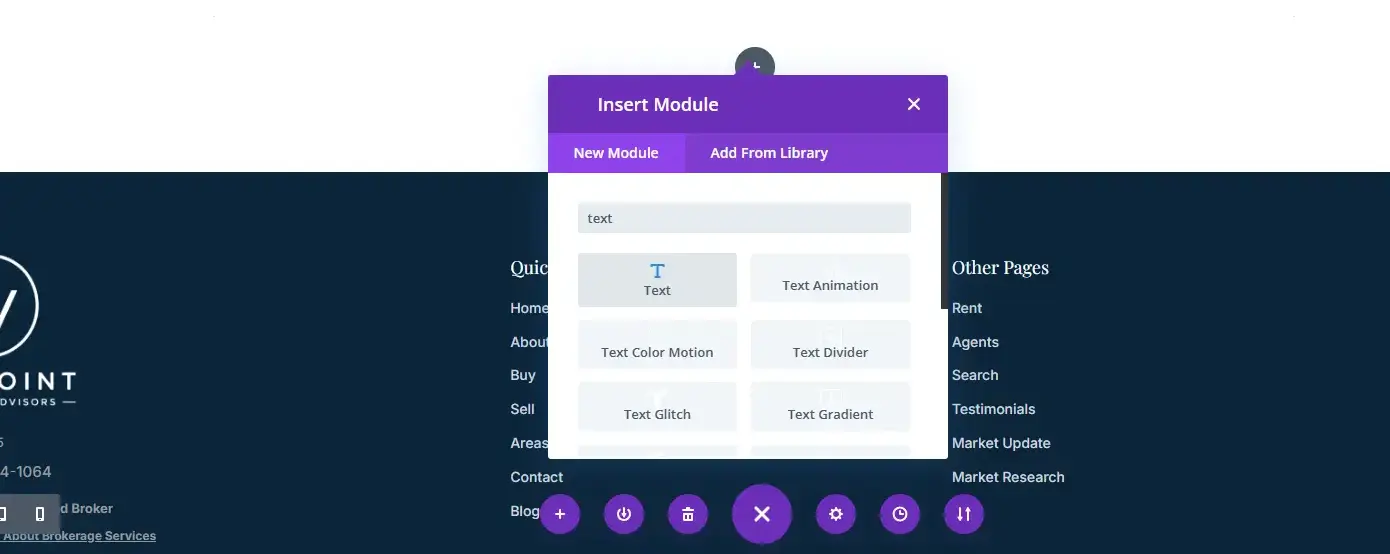
- Edit the page with the Divi Builder.
- Add a Text module, or a Code module.
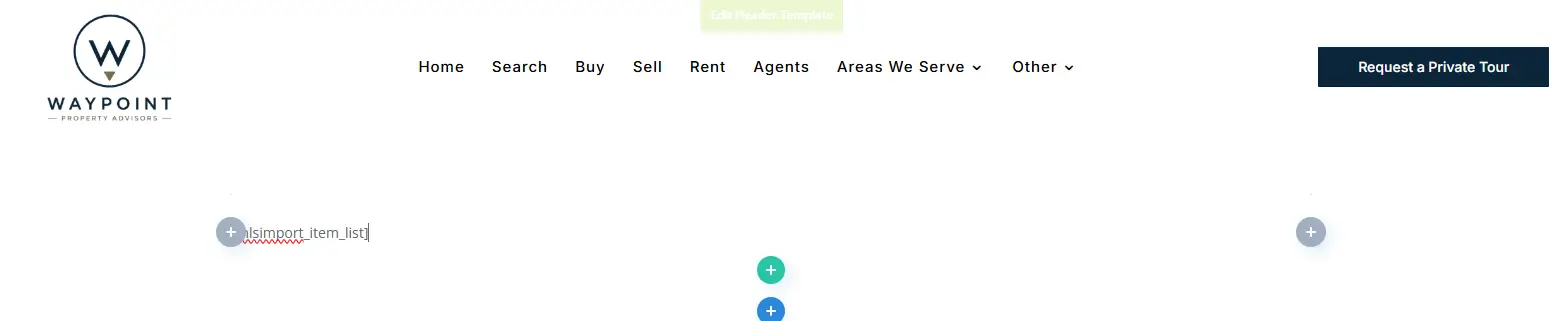
- Paste the shortcode.
- Save and view the page.
Search and map pages
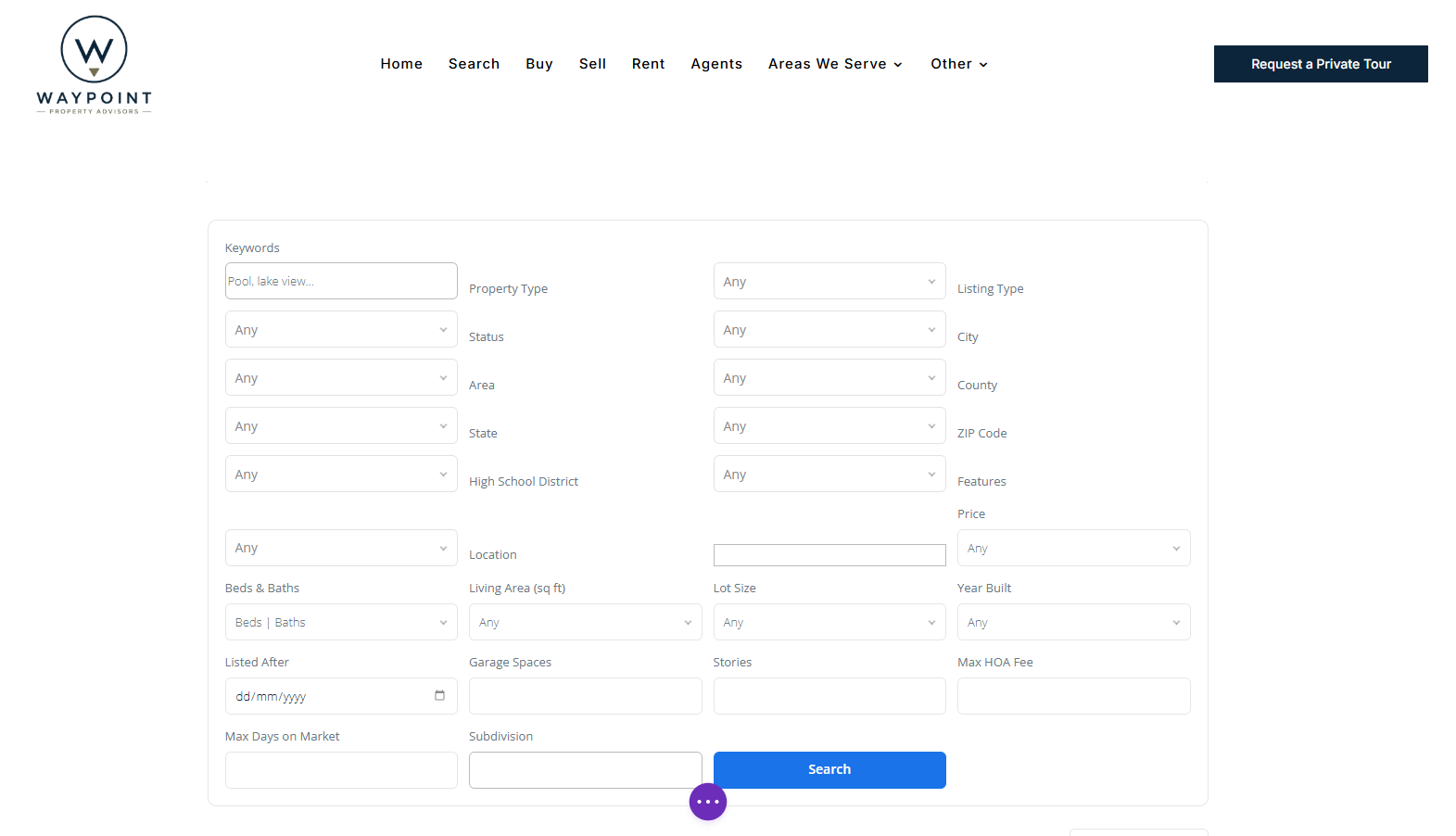
[mlsimport_search_form]
[mlsimport_item_list]
[mlsimport_half_map]
[mlsimport_map_listings]
[mlsimport_featured_property]
[mlsimport_list_by_id]
[mlsimport_category_list]
[mlsimport_category_slider]
[mlsimport_content_slider]
[mlsimport_agents_directory]
[mlsimport_contact_form]
[mlsimport_saved]
Put the search form in one Divi module and the results in another, on the same page, and they work together.
Single property pages
MLSImport builds the single property page for you. To design it yourself in Divi, each part has its own shortcode.
Price and heading
[mlsimport_property_price]
[mlsimport_property_title]
[mlsimport_property_title_bar]
[mlsimport_property_status]
[mlsimport_property_address]
[mlsimport_property_breadcrumbs]
Photos and video
[mlsimport_property_property_gallery]
[mlsimport_property_gallery]
[mlsimport_property_gallery_masonry]
[mlsimport_property_gallery_masonry_v2]
[mlsimport_property_slider_classic]
[mlsimport_property_slider_vertical]
[mlsimport_property_slider_multi]
[mlsimport_property_slider_full]
[mlsimport_property_featured_image]
[mlsimport_property_video]
[mlsimport_property_virtual_tour]
Details
[mlsimport_property_overview]
[mlsimport_property_description]
[mlsimport_property_features]
[mlsimport_property_interior]
[mlsimport_property_exterior]
[mlsimport_property_structure]
[mlsimport_property_utilities]
[mlsimport_property_financial]
[mlsimport_property_schools]
[mlsimport_property_location]
[mlsimport_property_listing_info]
[mlsimport_property_other]
[mlsimport_property_tabs]
[mlsimport_property_accordion]
Map, agent and leads
[mlsimport_property_map]
[mlsimport_property_agent_card]
[mlsimport_property_agent_contact]
[mlsimport_property_agent_form]
[mlsimport_property_agent_form_sidebar]
[mlsimport_property_schedule_tour]
[mlsimport_property_mobile_agent_bar]
[mlsimport_property_booking]
[mlsimport_property_calculator]
Also
[mlsimport_property_share]
[mlsimport_property_similar]
[mlsimport_property_attribution]
[mlsimport_property_list_filters]
Each of these shows the property being viewed. To show a specific one, add its post ID:
[mlsimport_property_gallery id="123"]Before you build
MLSImport needs your MLS RESO Web API credentials and a working feed. Once your listings are importing, the shortcodes above render them.
