
A seller cuts the price on a three-bedroom house on Tuesday morning, from $450,000 to $425,000. Three weeks ago a buyer named Sarah saved a search on your website for exactly that kind of home. She has not called you since.
That price cut is a good reason to pick up the phone. The question is whether you connect the two before someone else does.
Every change in the MLS is a reason to call someone
A price drop brings a home into a buyer’s budget. A listing back on the market usually means a deal fell through, and the buyer who missed it the first time gets a second chance. A new listing in a quiet neighborhood is news to the two or three people waiting for one.
Each of these calls brings the buyer news she wants, about a home that fits what she asked for.
The hard part is the matching
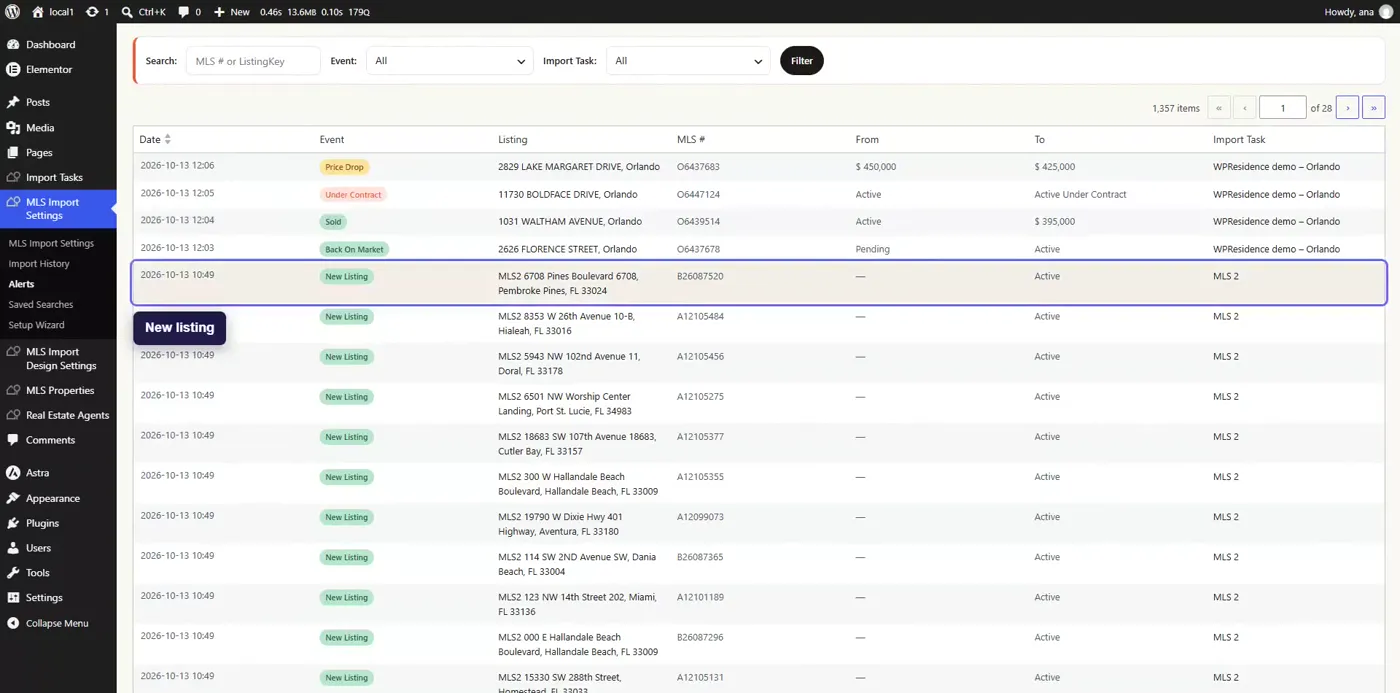
The changes are easy to find. Your MLS hot sheet lists them every day. The slow part is the other half: going through your buyers one by one and asking which of them that change is for.
With five buyers you can do it in your head. With forty buyers and a few hundred changes a day, it falls behind on the first busy week. And if Sarah also saved the same search on a portal, the portal emails her about the price drop, and the next click goes to them.
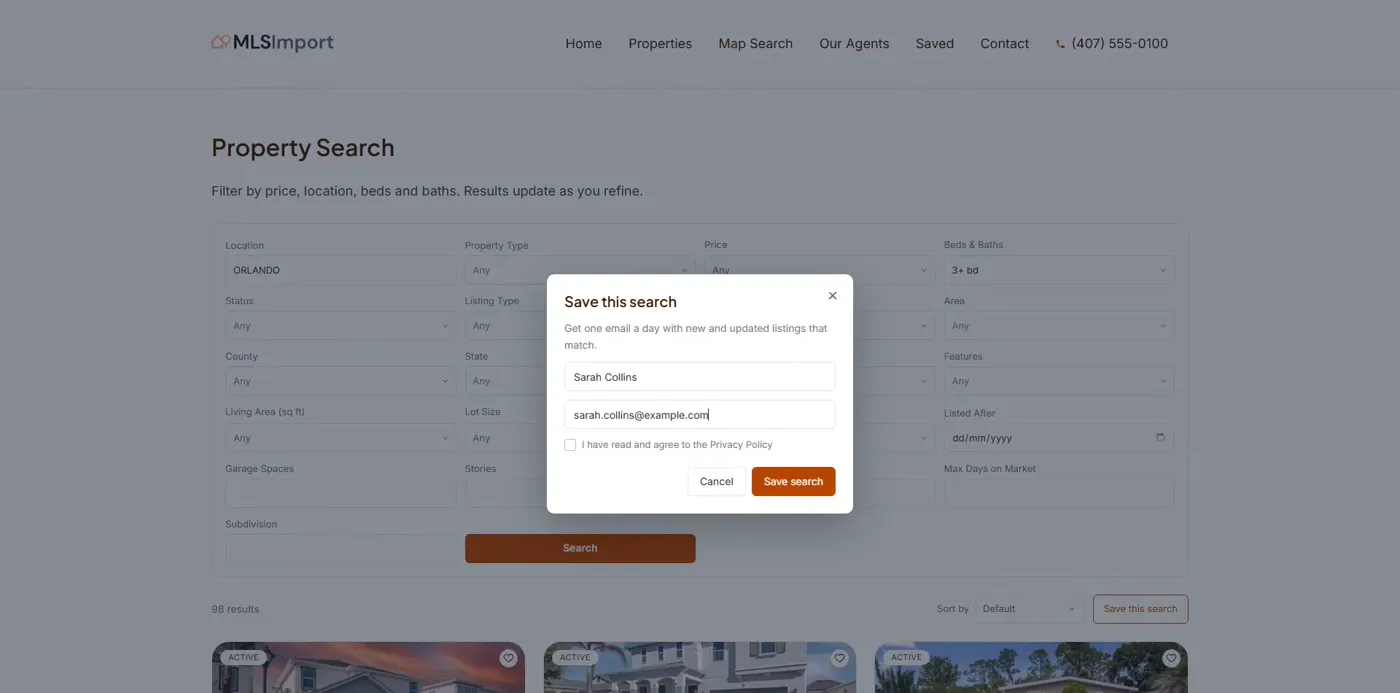
Your website already holds half the answer. When a buyer saves a search on your site, her criteria are stored there: the area, the beds, the top price. That is the list you need to match the MLS changes against.
One email a day that does the matching
MLSImport Alerts does that match for you once a day and sends the result by email. This video shows it from start to finish, from a buyer saving a search to the email you get.
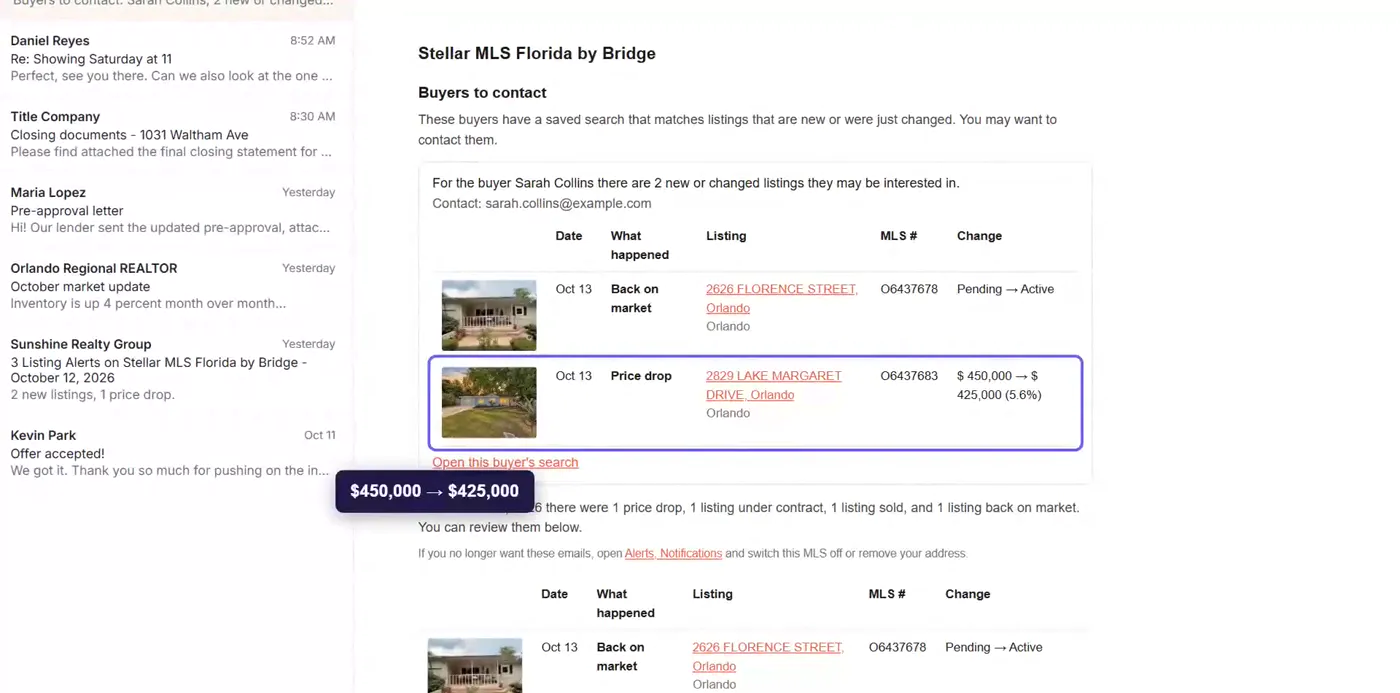
The email opens with Buyers to contact: each buyer whose saved search matches a listing that is new or just changed. You get her name, her email address, up to five matching listings, and a link to her saved search. On Tuesday, Sarah is at the top, next to the house and its new price.
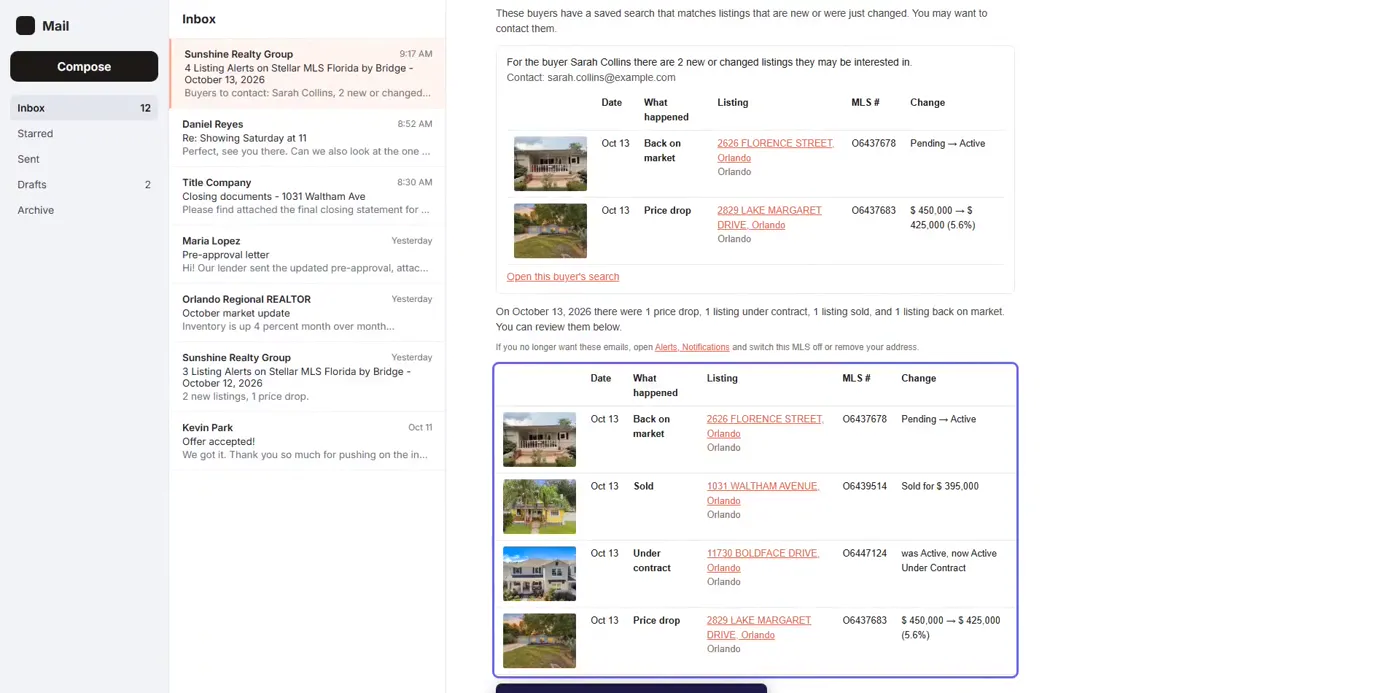
Below that, the email lists the day’s changes in the areas you follow, each with the MLS number and a link to the listing. It is your hot sheet, cut down to your market.
Buyers to contact reads saved searches from MLSImport standalone sites and from WPResidence, Houzez and Real Homes. On a standalone site, buyers save a search with a name and an email and confirm it before anything is sent to them. Why saved searches belong on your own real estate website covers that side.
Keep it to the business you work
An email full of changes you will never act on gets ignored by Thursday. In the Alerts settings you tick the kinds of change you care about, choose who receives the email, and filter each MLS by city, neighborhood, zip code, price range, property type and status. The filters start from your import tasks, so they already follow the listings you show on your site.
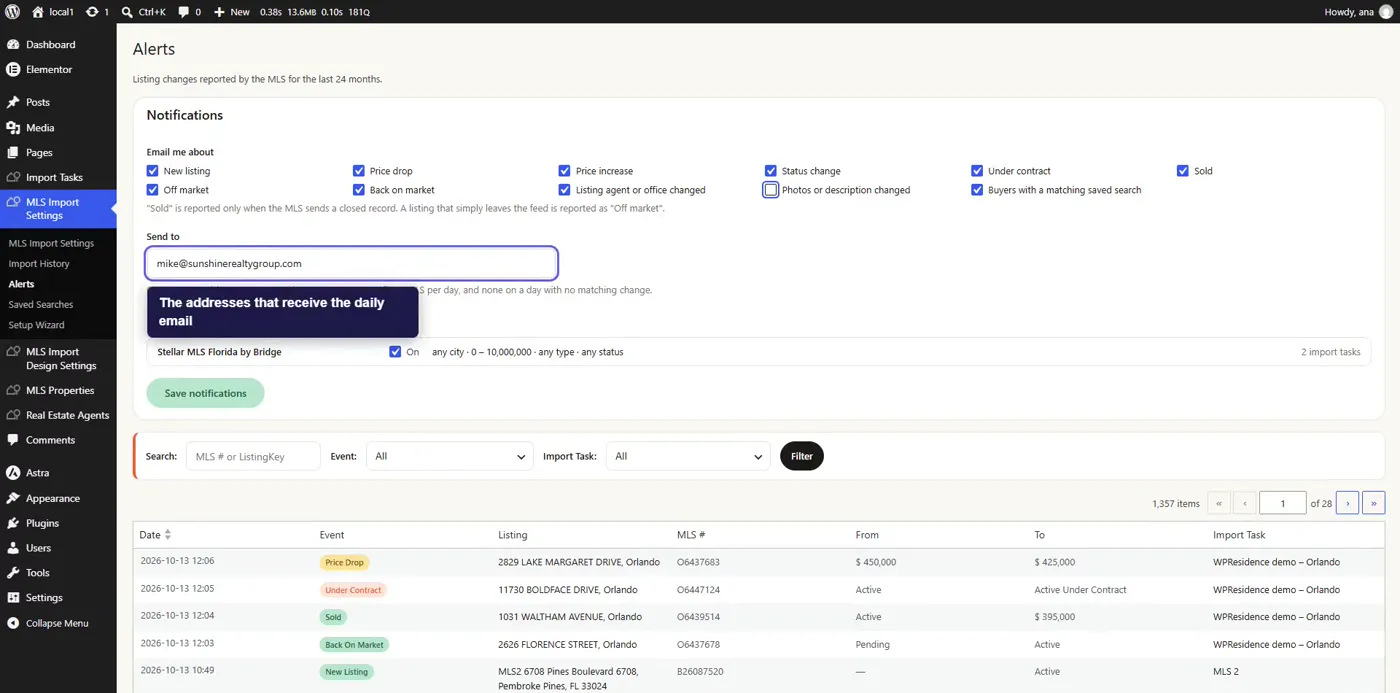
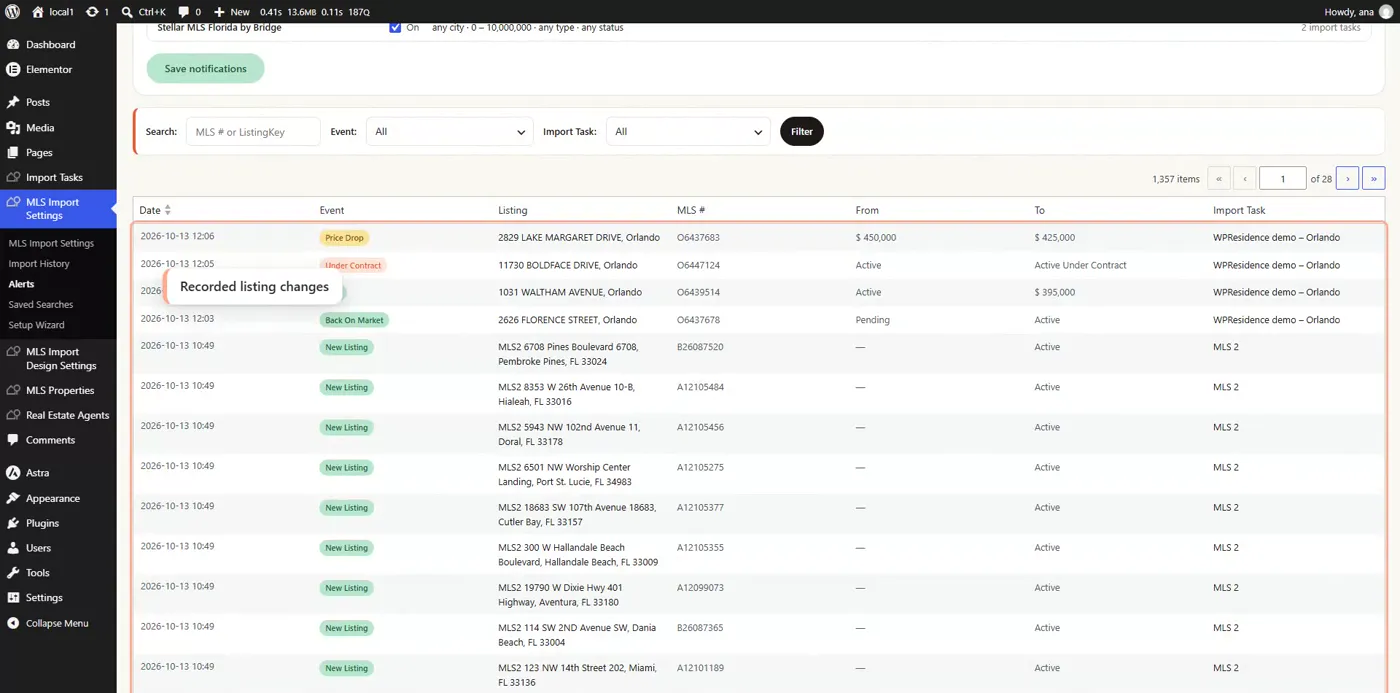
The email only goes out on days with something to report. The Alerts page in your dashboard keeps the history, so you can look up one property by its MLS number when a client asks what happened to it.
Make the call about the house
When the email gives you a name, call about the change itself: “The house on Maple dropped to $425,000 this morning. It’s in the area you saved.” She hears about it from you, with the details in front of you, while it is still news.
Alerts is included with MLSImport, the WordPress plugin that imports and syncs MLS listings on your own website. The 30-day free trial is enough to see a few weeks of these emails on your own MLS.
