





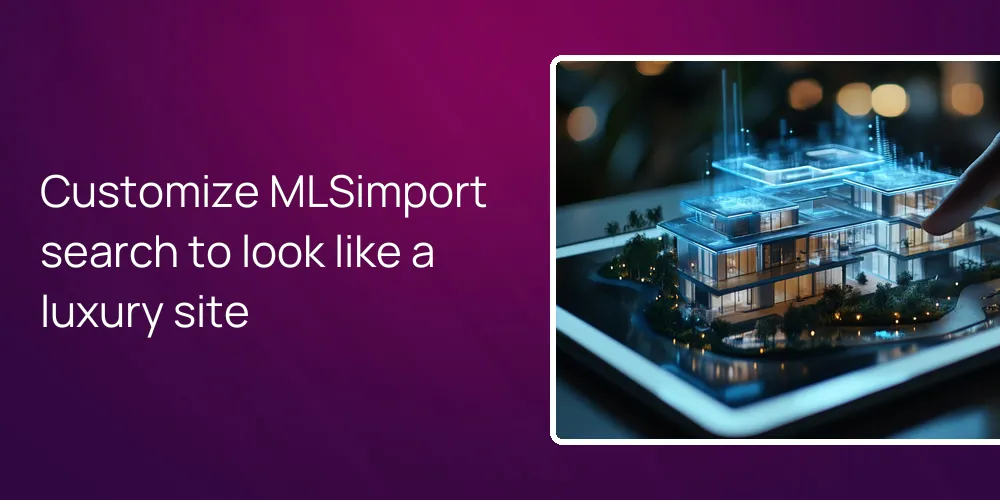
Yes, your developer can customize the front-end search and results so your site feels like a boutique, luxury brand instead of a stock IDX feed. With MLSimport, listings are pulled into WordPress as real content, then your theme and custom templates control how search forms, results grids, maps, and property pages look. Your designer can match your brand, from fonts and spacing to high-end galleries and calls to action, so nothing feels generic.
How does MLSimport let my developer control every pixel of the search UI?
Your developer controls every pixel because the plugin only brings in MLS data and lets your WordPress theme handle design.
MLSimport connects to your MLS (Multiple Listing Service) through the RESO Web API and saves the properties in WordPress as regular posts or custom post types. The plugin is the data pipe, while your theme and templates decide how search fields, cards, and detail pages look. Because the data lives locally, your developer can write standard WordPress and PHP templates instead of fighting fixed IDX widgets.
Once MLSimport is set up, your theme’s archive and single templates power listing loops, search results, and property pages. Your developer can override these with custom template files, add custom fields, or swap layouts without touching the import logic. The plugin supports more than 800 MLS boards with hourly sync, so design stays fixed to your specs while the data quietly updates in the background.
Can my designer build a truly boutique, luxury look with supported themes?
A designer can build a boutique, luxury look by pairing a modern real estate theme with the MLS feed the plugin delivers.
MLSimport has direct field mapping for themes like WPResidence, Houzez, WP Estate, and RealHomes, which makes luxury design work faster. With WPResidence, imported MLS listings are stored in the theme’s native “Properties” post type and use the built-in property template builder. That lets your designer set up full-bleed galleries, split layouts, careful typography, and polished calls to action that look nothing like a default IDX output.
Because the plugin hands clean property fields to the theme, your designer can use the theme’s visual tools to build custom search bars, grids, and sliders. Many of these themes ship with drag-and-drop template builders and search form builders that work directly with the imported data. Your design team can also choose refined filters that fit a luxury brand, like penthouses, waterfront, golf communities, or “new construction over $2M,” and present them with your exact colors and fonts.
- Example: WPResidence drag-and-drop search form builder tailored to luxury criteria.
- Example: RealHomes grid and slider modules styled with your brand typography and colors.
- Example: Houzez custom property templates with hero images and editorial-style descriptions.
How customizable are the property search filters, maps, and results behaviors?
Property search filters, maps, and results behaviors are highly customizable because your developer works directly with local listing data and theme tools.
When MLSimport stores listings in your database, your developer can use normal WP_Query calls to build any search logic that fits your niche. That can mean filters around price bands, views, school districts, or custom luxury tags wired to MLS fields. With WPResidence and similar themes, you also get visual search builders, half-map templates, and AJAX-powered results that your developer can tune without touching the import process.
Your team can build curated landing pages like “Beverly Hills view homes” or “Downtown lofts over 2,000 sq ft” that auto-populate from the imported data. Map behavior is adjustable too: your developer can swap marker icons, tweak clustering, change default zoom levels, and alter sort rules using theme settings plus light custom code. Because the plugin does not lock the front end, you can choose how many listings show per page, how fast infinite scroll loads, and how the map and list interact.
How does MLSimport avoid that “generic IDX feed” look other plugins have?
The generic IDX look is avoided because the plugin never injects its own widgets or templates and only delivers listing data.
MLSimport does not ship prebuilt search forms, iframes, or rigid cards that override your theme design. Instead, it fills your WordPress site with structured MLS data and then steps aside so your theme or custom templates render everything. So property cards, grids, galleries, and calls to action all use your site’s layout system, not a vendor skin that repeats across many sites.
Your developer can wrap listings with brand-specific content such as lifestyle blurbs, neighborhood guides, or press mentions without fighting an IDX container. Lead capture is also under your control, since you can plug in your own form or CRM (Customer Relationship Management) tools right into the templates. Because nothing on the front end comes from a third-party design layer, your site avoids that “copy-paste IDX” feel that turns buyers off.
Can we highlight our own listings and luxury exclusives while still using full MLS data?
You can spotlight your own and exclusive listings while still serving full MLS search by filtering and tagging imports in WordPress.
MLSimport lets you filter incoming data by agent ID, office ID, price, city, and many other MLS fields at the import level. You can run one import job that only pulls in your team’s listings, and another for broader market coverage. Your developer can then tag or categorize your listings inside WordPress and use those flags inside custom queries to power “featured” blocks, ribbons, and separate pages.
Exclusive or off-market luxury homes that are not in the feed can be added by hand as separate properties and displayed in the same grids. The plugin’s approach keeps all inventory under one content system so your “Our Listings,” “Exclusives,” and “All MLS Homes” sections can share styling and behavior. At first this sounds simple, then you notice how often agents forget to align tags. With import rules dialed in, you can keep your brand front and center without losing the broad market view buyers expect.
| Goal | Implementation with MLSimport |
|---|---|
| “Our Listings” page | Filter imports by agent or office ID then query those posts |
| Luxury-only search | Import above a price limit or key areas into a custom search |
| Exclusive properties | Add manual non MLS entries and include them in styled grids |
| Homepage hero listings | Apply a special tag and surface via a focused custom query |
The table shows how filtering and tagging at import and theme level lets you split your own listings, hand-picked exclusives, and general MLS stock into different modules. By structuring imports this way, your developer can give your signature homes more space while still letting clients search the entire MLS from the same site.
How does this setup support SEO, performance, and long-term design freedom?
This setup supports SEO and long-term freedom because the listings live on your domain while design stays theme-controlled.
When MLSimport writes properties into your database, each one gets its own clean URL like any other post, which search engines can index. You can hook up common SEO plugins to control title tags, meta descriptions, and schema for property pages. At first, that sounds like standard SEO advice. It is, but it finally applies to your own layout instead of an iframe shell.
For performance, the plugin uses MLS or CDN image URLs, while WordPress handles lazy loading and caching to keep image-heavy pages responsive on phones. You can combine that with a site-wide cache or CDN and keep load times low even with many photos per property. If you redesign later or move from one luxury theme to another, the MLSimport data stays in WordPress, ready to connect to new templates instead of being tied to a single IDX skin.
And here is the blunt part. If no one on your team watches page weight, fancy layouts will still feel slow. I’ve seen sites with great data structure and awful speed because people kept adding sliders, popups, extra scripts. The plugin gives you room to design, but it doesn’t babysit that kind of bloat.
FAQ
Do I need a developer, or can a non-technical agent set all this up alone?
A non-technical agent can get basic imports running, but a developer is needed to unlock full boutique design control.
The plugin setup screens are friendly enough that an agent can connect MLS credentials, choose cities, and start hourly syncing. To reach a truly custom luxury look, though, someone has to work with theme options and, often, child-theme templates. A developer can also tune search logic, map behavior, and performance so the site feels polished instead of “just installed.”
What happens to my imported listings if I pause or cancel the MLSimport subscription?
Imported listings stay in your database, but they stop syncing and shouldn’t be treated as live MLS data over time.
When the subscription is active, MLSimport keeps records in sync as status and prices change. If you stop, existing posts remain in WordPress, still using your theme layouts, but they’ll age and drift from the current MLS state. For compliance and user trust, you’d either need to remove or clearly separate those stale entries if you don’t plan to keep syncing.
Can I add my own luxury-focused copy around the official MLS remarks?
You can safely add custom brand copy around MLS remarks while leaving the official text intact.
Because the plugin turns listings into normal posts, your templates can show MLS fields plus extra sections like “Agent’s Notes” or “Lifestyle Highlights.” Your team can write short intros, neighborhood blurbs, or design-focused commentary without overwriting the synced remarks. This keeps you within MLS rules while giving each page more personality and unique text for search engines.
Does MLSimport support luxury-focused teams across major U.S. and Canadian markets?
The plugin supports luxury teams in most major U.S. and Canadian markets as long as your board is among the 800+ connected MLSs.
MLSimport plugs into MLSs that expose a RESO Web API feed, which now covers the bulk of large boards. As long as your office has approved MLS API access, you can import data for places like Los Angeles, Miami, Toronto, or Vancouver and then style it with your theme. The result is a locally accurate, high-end site that avoids generic IDX visuals while staying data-complete.
Related articles
- How can I feature my own exclusive or pocket listings more prominently than general MLS listings on my website?
- Which MLSimport solutions expose clean hooks, filters, or APIs so I can extend functionality with custom code for advanced search or custom templates?
- Can I fully customize the design of the search form and listing templates so they match my existing WordPress theme and don’t look like a generic iframe widget?
Table of Contents
